Cursor, Claude Code, and Kiro are all AI coding tools that can plan and edit code across a project, but they start from different workflows. Cursor is an AI-first code editor where you work alongside an agent in the editor, with project rules for persistent context. Claude Code is Anthropic's agentic coding tool, centered on a conversational agent that reads, edits, and runs commands, with CLAUDE.md files and auto memory for context. Kiro is an AI development environment built around spec-driven development, where requirements, design, and tasks are written before implementation, with steering files for project knowledge. The right choice depends on how you like to work and how much structure you want before code is written.
This comparison focuses on workflow, context, and planning, based on each tool's documentation as of October 2026. It deliberately leaves out pricing and benchmark claims, which change too often to be useful here.
How we compared them
We looked at four questions for each tool:
- Workflow: where and how you work with the AI day to day
- Context: how project knowledge persists across sessions
- Planning: what support exists for deciding what to build before building it
- Fit: who each tool tends to suit, and what to watch out for
- Cursor: AI-first editor with an agent
- Claude Code: conversational coding agent that edits and runs commands
- Kiro: AI development environment with conversational and spec-driven modes
- Cursor: project rules in
.cursor/rules, AGENTS.md - Claude Code: CLAUDE.md files, auto memory,
.claude/rules/, AGENTS.md - Kiro: steering files, plus specs per feature
- Cursor: not imposed; bring your own specs
- Claude Code: plan-before-edit support; no imposed spec sequence
- Kiro: specs with requirements, design, and tasks
- Cursor: rules can bundle prompts and scripts; check the docs for current automation options
- Claude Code: hooks, including ones that can block actions
- Kiro: hooks triggered by events in the session
- You think best while looking at code: start with Cursor.
- You prefer directing an agent and letting it run commands and tests: start with Claude Code.
- You want the requirements and design written before implementation: start with Kiro.
- Cursor documentation: Rules
- Claude Code documentation: How Claude remembers your project
- Claude Code documentation: Subagents
- Claude Code documentation: Context window
- Kiro documentation, Steering, Hooks, Specs
- AGENTS.md open format
Feature sets in this category change quickly. Treat this as a map of each tool's design approach, and check the linked documentation for current details.
Cursor
Workflow
Cursor is a code editor with AI built in, including an agent that can make multi-file changes. The documentation also refers to a CLI and Cloud Agents, so the same rules apply outside the editor (Cursor docs). Working in Cursor feels like pair programming inside your editor: you see changes in context and accept or adjust them.
Context
Cursor's documentation states that language models don't retain memory between completions, and rules exist to provide persistent, reusable context. Project rules live in .cursor/rules as .mdc files with frontmatter that controls when they apply: always, when the agent judges them relevant, when matching files are in context, or when mentioned manually. Plain markdown instructions can go in AGENTS.md. The docs recommend keeping rules focused and under 500 lines (Cursor docs).
Planning
Planning is something you bring to Cursor rather than a built-in phase. You can keep specs in your repository and reference them from rules, or use a separate spec framework such as GitHub's Spec Kit or OpenSpec, which are designed to work with several coding assistants, Cursor included.
Fit
Suits developers who want to stay in an editor and review changes as they happen. Watch out for long sessions without written specs, where earlier decisions get lost.
Claude Code
Workflow
Claude Code is an agentic coding tool from Anthropic. You describe what you want in conversation, and the agent explores the codebase, edits files, and runs commands, with permission controls over what it may do. It supports subagents, which run in their own context window with their own instructions and tool access, useful for keeping research or log-heavy work out of the main conversation (Claude Code docs).
Context
Each Claude Code session begins with a fresh context window. Two mechanisms carry knowledge across sessions: CLAUDE.md files that you write (at organization, user, project, or local level) and auto memory, which Claude writes from your corrections. It can also read a repository's AGENTS.md, and supports path-scoped rules in .claude/rules/. The docs note that these files are treated as context rather than enforced configuration, and recommend hooks when an action must be blocked regardless of what the model decides (Claude Code docs). Long sessions can be compacted with /compact, which replaces the conversation with a structured summary (context window docs).
Planning
Claude Code can plan before editing, and its built-in subagents include one used for planning research. Like Cursor, it doesn't impose a requirements-design-tasks sequence; you can add one with your own docs or a spec framework.
Fit
Suits developers comfortable directing an agent through conversation, and workflows that benefit from the agent running commands and tests itself. Watch out for relying on compaction to preserve decisions; write important ones to files.
Kiro
Workflow
Kiro is an AI development environment that, according to its documentation, uses one agent harness across its IDE, CLI, web, and mobile surfaces, so configuration, specs, and steering carry across them (Kiro docs). It supports quick conversational work and a structured spec workflow.
Context
Steering files give Kiro persistent knowledge about a project through markdown files, so you don't have to explain conventions in every chat (Kiro steering docs). Hooks run shell commands or agent prompts automatically when events happen, such as a file change or a completed task (Kiro hooks docs).
Planning
Planning is Kiro's distinguishing design choice. Specs are structured artifacts that formalize development for features and bug fixes. A feature spec guides you through requirements gathering, technical design, and implementation planning, producing documents and a task list that implementation then follows (Kiro specs docs).
Fit
Suits work where you want the plan written and reviewed before code, such as larger features, team handoffs, or anything you'll maintain long term. Watch out for applying the full spec process to tiny changes, where it adds overhead.
Side by side
Primary workflow
Persistent project context
Built-in planning phase
Automation hooks
How to choose
Many developers use more than one. A common pattern is to keep one shared source of project context, often AGENTS.md plus a docs folder, and point each tool's own file at it. The open AGENTS.md format exists for exactly this. The guide on stopping AI coding agents from losing project context explains how to structure those files.
A well-formed task prompt is also portable. If it carries the project context, the task, and its acceptance criteria, you can paste it into any of the three tools and get a comparable starting point, which makes switching or mixing tools much less painful.
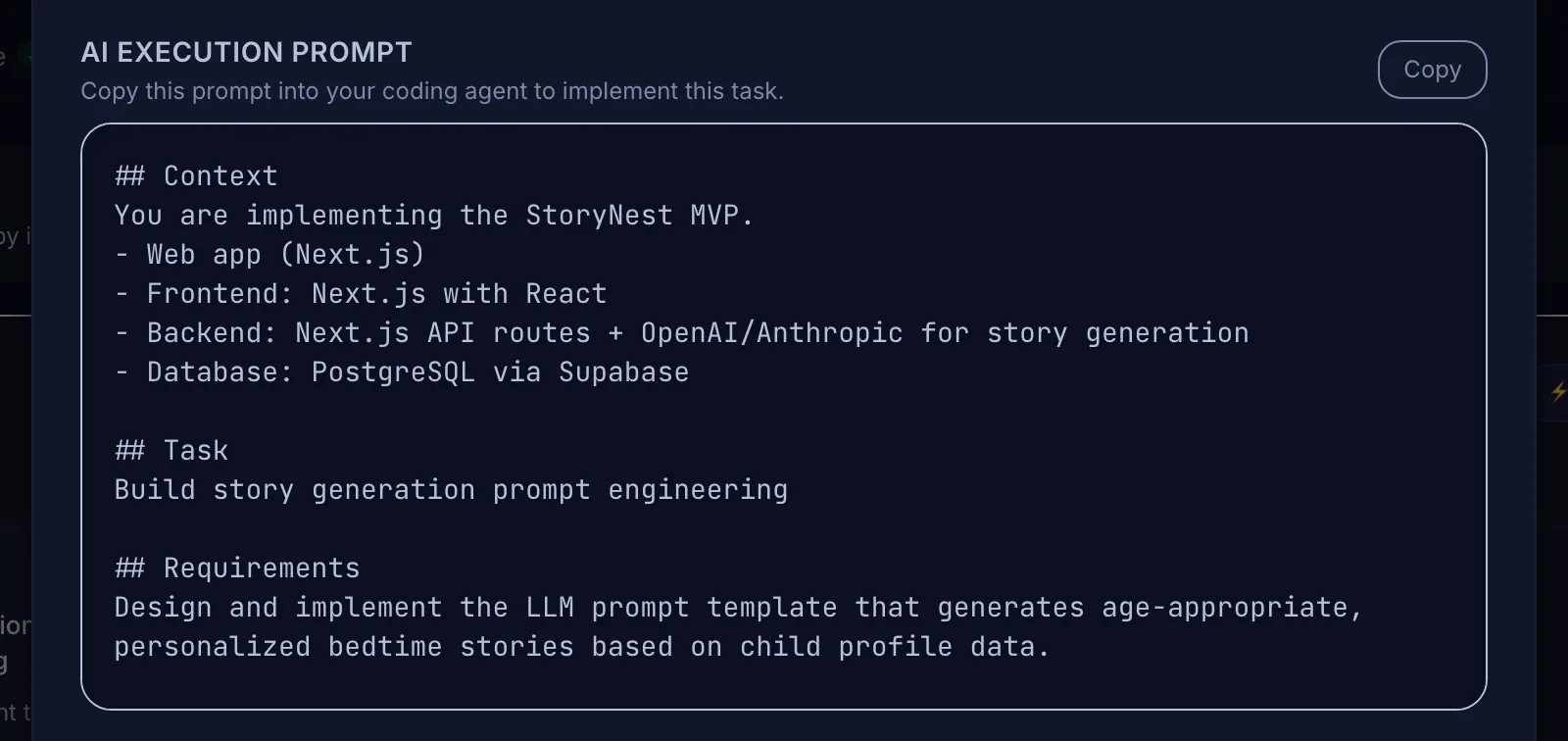 The same task prompt can be pasted into Cursor, Claude Code, Kiro, or another agent.
Whichever you choose, the habits matter more than the tool: small tasks with acceptance criteria, one task per session, reviewed changes on branches, and decisions written down. Those are covered in spec-driven versus prompt-driven coding and reducing token waste.
What none of them decide for you
All three tools help you build what you describe. None of them decide what the product should be, which features belong in the first version, or whether the result meets your users' needs. That planning happens before any of these tools is opened, or in a spec you write with them.
Where Mogryat fits alongside these tools
Mogryat works one level up, at the product and project level. It takes an idea through a founder interview, a product brief, an MVP scope with explicit exclusions, an architecture decision scored against your constraints, and a technical plan, then produces a task board where every task has acceptance criteria and a ready-to-paste AI execution prompt. The project overview tells you to copy each prompt into Cursor, Claude Code, or your preferred coding agent.
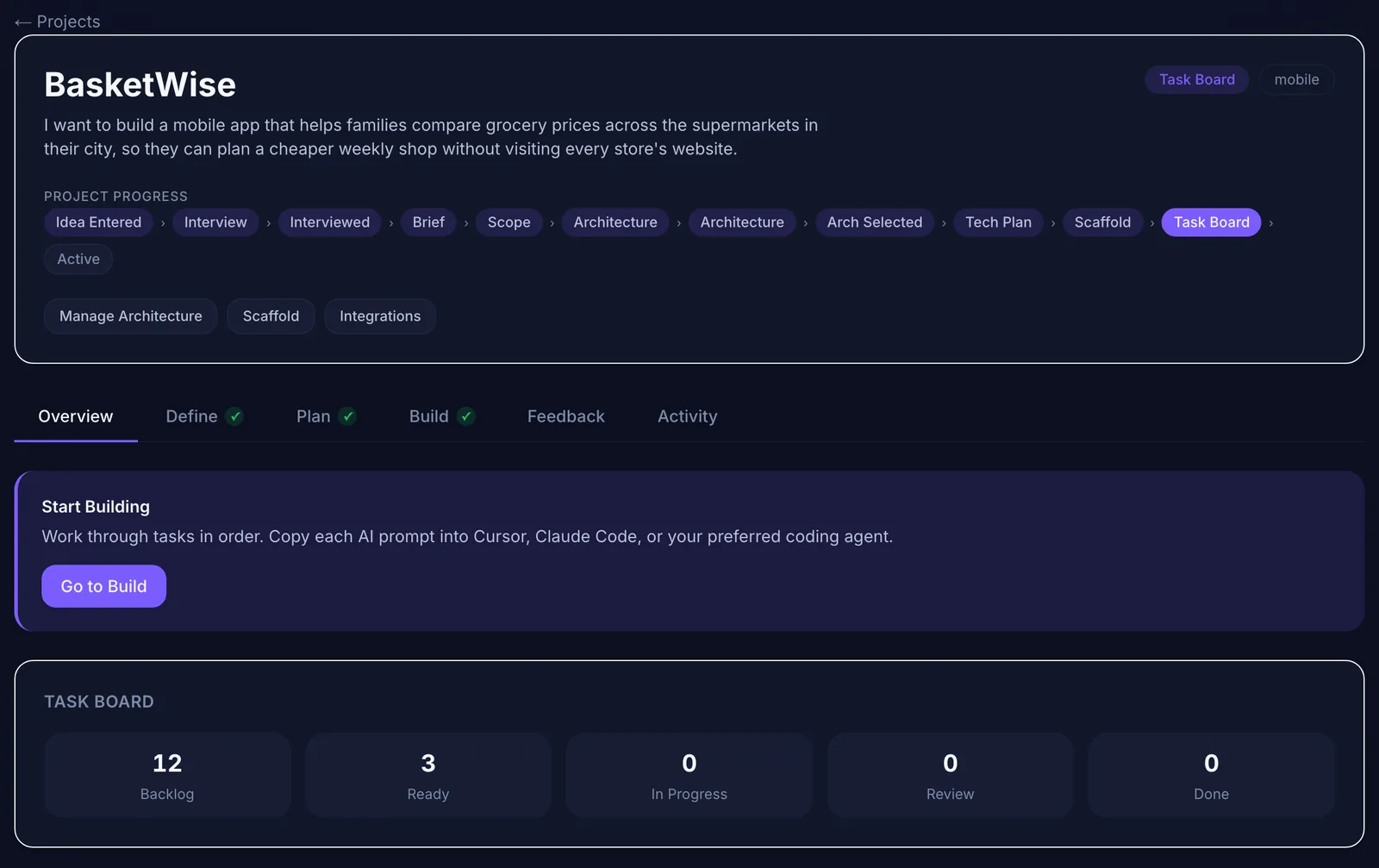 Mogryat sits upstream: the plan and task prompts work with whichever editor or agent you choose.
It doesn't replace any of the three. If you use Kiro specs or a spec framework in the repository, Mogryat's product-level documents and tasks can feed them. It's most useful when you're managing several projects or clients, or when a non-technical founder is directing the work.
Plan the product once, then build in the tool you prefer →