Spec-driven development means writing down what you're building (requirements, design decisions, and a task list) before an AI agent writes code, then implementing and checking against those documents. Prompt-driven coding, often called vibe coding, means describing what you want in conversation and iterating on the output. Use prompt-driven coding for throwaway prototypes, UI exploration, and small, well-understood changes. Use spec-driven development when the work spans several sessions or files, when others (people or agents) will build on it, or when mistakes are expensive. Most real projects use both, switching per task.
This article defines both approaches, compares where each breaks down, and gives a practical rule for choosing.
Two definitions
Prompt-driven coding
You describe the change, the AI writes code, you look at the result, and you prompt again. The "spec" is the conversation. It's fast, low-ceremony, and works well when you can see whether the result is right at a glance.
The weakness is that decisions live in chat history. When the session ends, gets compacted, or moves to another tool, the reasons behind the code go with it.
Spec-driven development
You first produce written artifacts that the agent then works from, typically:
- Requirements: what the feature must do, often as user stories with acceptance criteria
- Design: the technical approach, data model, interfaces, and tradeoffs
- Tasks: an ordered list of small implementation steps
- Prompt-driven: minutes. Nothing to write first.
- Spec-driven: slower to start. Requirements and design take time, even with AI drafting them.
- Prompt-driven: fast for small things; slows down as the codebase grows and earlier decisions get forgotten.
- Spec-driven: steadier. Less rework because the target is written down.
- Prompt-driven: fragile. Context lives in a chat.
- Spec-driven: durable. Context lives in files any tool can load.
- Prompt-driven: you judge the output by eye.
- Spec-driven: you check output against acceptance criteria, which also works for people who don't read code.
- Prompt-driven: ambiguity is resolved by whatever the model guesses.
- Spec-driven: ambiguity surfaces as questions while writing the requirements, before code exists.
- Prompt-driven: almost none.
- Spec-driven: real. Small changes can feel bureaucratic if you force the full process on them.
- Prototypes you'll throw away. Testing whether an idea is worth pursuing.
- Visual and interaction exploration. Layout and feel are hard to specify in advance; seeing options quickly helps.
- Small, well-understood changes. Rename a field, fix a typo, adjust a style.
- Learning a new library. Asking for examples and trying them is faster than specifying.
- One-off scripts. Code nobody will maintain.
- Features that span several files or sessions. You'll need the context again.
- Work other people or agents will build on. The spec is the handoff.
- Anything touching data models, authentication, payments, or permissions. Mistakes there are expensive.
- Client work with agreed scope. The spec doubles as what the client signs off.
- Parallel work with multiple agents. Each agent needs a clear, independent task. See how to coordinate multiple AI coding agents.
- Existing codebases. Writing down the intended change before editing reduces surprise breakage.
- Will I or anyone else need to understand why this works in a month?
- Would getting it wrong cost more than an hour to fix?
- Write project-level specs once: the product brief, scope, architecture decision, and data model.
- Break features into tasks, each with a short description and acceptance criteria.
- Implement each task in a focused, prompt-driven session that starts from the relevant spec and the task's criteria.
- Update the specs when a decision changes.
- Specs as ceremony. Long documents nobody reads don't help. Keep them short and specific.
- Stale specs. A spec that no longer matches the code misleads every agent that reads it. Update it in the same change.
- Over-specifying design. Specify behavior and constraints, and leave room for the implementation unless there's a reason not to.
- Skipping verification. A spec is only useful if you check the result against it.
- Long single sessions that slowly lose earlier decisions
- No record of why something was built a certain way
- Unreviewed output merged because it "seemed to work"
- Hidden scope growth, since each prompt adds a little
- GitHub Spec Kit documentation: Agentic SDD commands
- OpenSpec documentation
- Kiro documentation: Specs
The agent implements against these documents, and you verify the result against the acceptance criteria. The artifacts are versioned alongside the code, so the next session (or the next agent) starts from the same intent.
Several tools now build this in. GitHub's Spec Kit drives the process through commands such as constitution, specify, plan, tasks, and implement, with optional clarify and analyze steps as quality gates (Spec Kit docs). OpenSpec has the AI draft a short spec and task list for each change so you and the assistant agree on the plan before code is written, and it works on existing codebases (OpenSpec docs). Kiro's specs formalize requirements gathering, technical design, and implementation planning for features and bug fixes (Kiro docs).
How they compare
Speed to first result
Speed to a correct, maintainable result
Context across sessions and tools
Reviewability
Handling ambiguity
Overhead
When to use prompt-driven coding
When to use spec-driven development
A per-task rule of thumb
Ask two questions before starting:
If both answers are no, prompt. If either is yes, write at least a short spec: a few sentences of intent, acceptance criteria, and constraints. If both are yes, do the full requirements, design, and tasks sequence.
This keeps specs proportional. Not every task needs a design document, but every task that matters needs acceptance criteria.
The common middle ground: specs at the project level, prompts at the task level
Many teams settle on a hybrid that captures most of the benefit with little overhead:
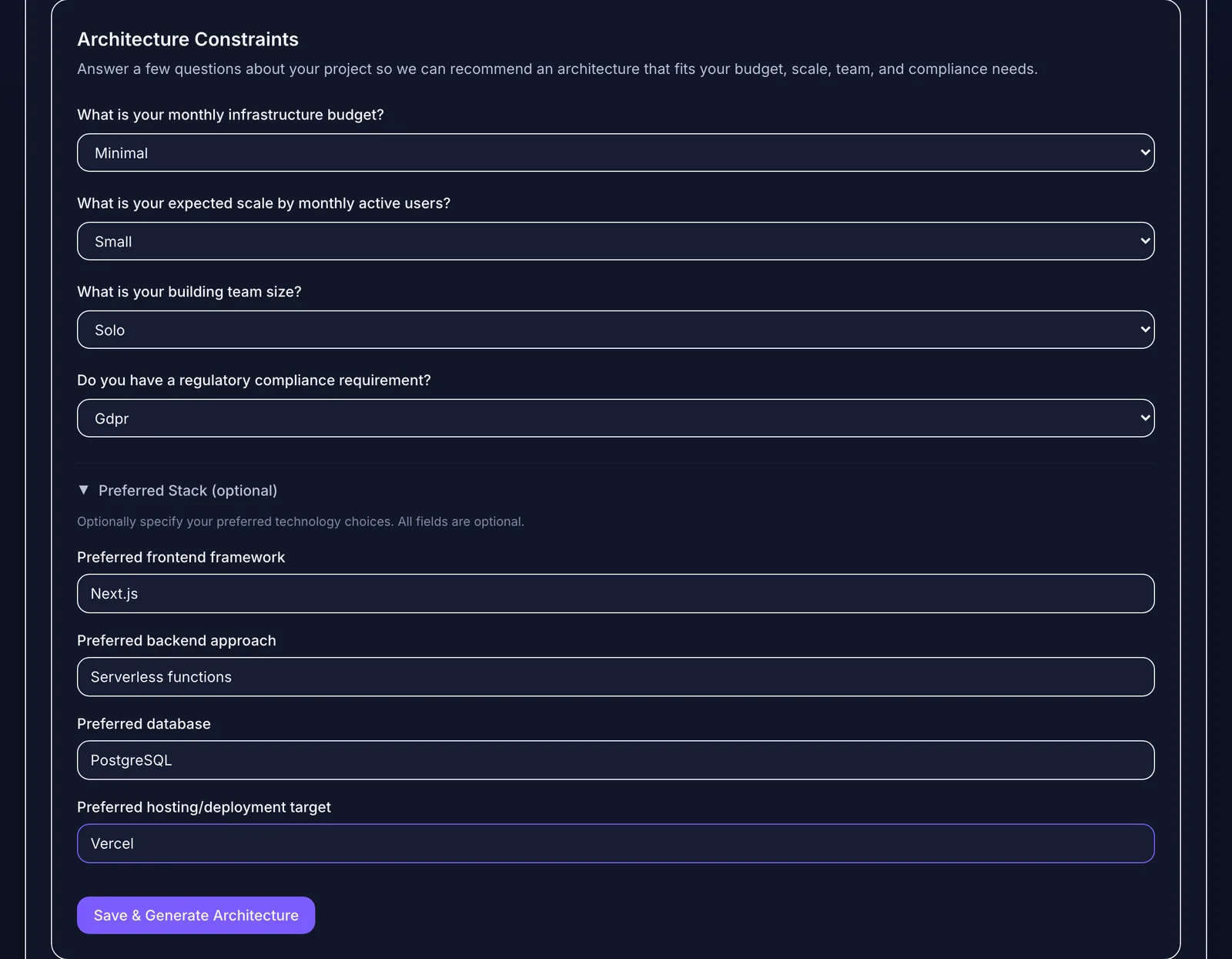 Spec-first work starts with constraints you would otherwise repeat in every prompt.
The session itself is conversational. The target isn't. This is also the approach that keeps coding agents from losing project context and reduces token waste, because each session loads a small, relevant slice of a durable spec.
Where spec-driven development goes wrong
The approach has real failure modes:
Where prompt-driven coding goes wrong
How Mogryat fits
Mogryat handles the project-level spec layer and the task breakdown. A project holds a product brief, MVP scope, an architecture decision scored against your constraints (with the tradeoffs recorded), and a technical plan. The task board turns that into small tasks with acceptance criteria and an AI execution prompt per task.
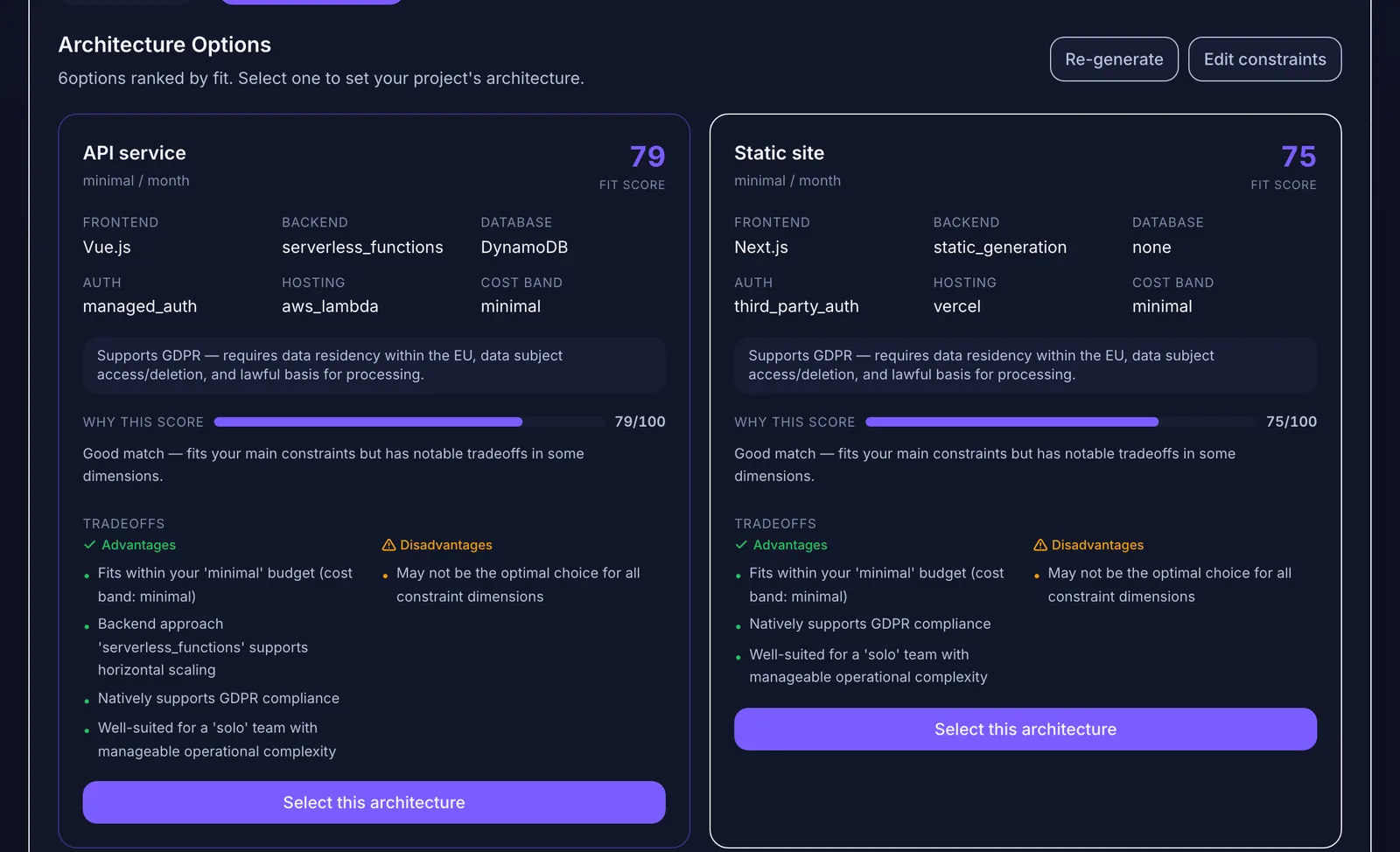 Decisions recorded with their tradeoffs can be revisited later instead of re-argued in chat.
You then work task by task in your coding tool of choice, prompt-driven within each task, or run a task from Mogryat with a connected agent and review the pull request against the criteria. It complements feature-level spec tools such as Spec Kit, OpenSpec, or Kiro specs inside your repository rather than replacing them.
For writing the requirements layer itself, see how to write a PRD with AI.
Write the spec once, then build task by task →