AI coding agents lose project context because every session starts with an empty context window, and long sessions get summarized or truncated as they fill up. The fix is not a bigger model. It is to store context outside the chat in layers the agent loads on purpose: a short, always-loaded rules file for conventions, versioned specs for product and architecture decisions, and a task-scoped brief for the work at hand. Then keep sessions short and start each one from those files instead of from memory.
This article explains why context gets lost, what each layer should contain, how the common tools load it, and how to tell whether your setup is working.
Why agents forget: three different problems
"The AI forgot" usually describes one of three separate failures. They need different fixes.
1. Nothing carries over between sessions
Language models don't remember previous conversations. Cursor's documentation says it plainly: large language models don't retain memory between completions, which is why its rules exist (Cursor docs). Claude Code's documentation makes the same point: each session begins with a fresh context window, and two mechanisms carry knowledge across sessions, CLAUDE.md files and auto memory (Claude Code docs).
Anything you explained in yesterday's chat and didn't write into a file is gone.
2. Long sessions degrade
Within a session, the context window fills with your messages, file contents, tool output, and the agent's own replies. When it gets full, tools compact it. Claude Code's /compact, for example, replaces the conversation with a structured summary (Claude Code docs). Summaries lose detail, and the details lost are often the decisions you care about.
Even before compaction, more context isn't always better. In "Lost in the Middle," Liu and colleagues found that model performance was often highest when relevant information appeared at the beginning or end of the input, and dropped when it sat in the middle of a long context (Liu et al., TACL 2024). A 40,000-token chat history with your key constraint buried in message 12 is a weak place to keep that constraint.
3. The context was never written down
The most common cause is the simplest: the product decisions only ever existed in your head or in a chat. Which users matter, what's out of scope, why you chose PostgreSQL over a document store, which file naming conventions you use. If it's not in a file, no tool can load it.
The three layers of durable context
Treat context like code: version it, keep it close to the repository, and give each piece one home.
Layer 1: Rules (always loaded, short)
This is the file every session reads first. Keep it to facts the agent needs in every task:
- Stack and versions
- Build, test, and lint commands
- Directory layout and naming conventions
- Hard rules ("never commit secrets", "all schema changes go through migrations", "use the existing API client")
- Where the deeper documents live
- Product brief: users, problem, value proposition, MVP objective
- Scope: what's in, what's explicitly out, and why
- Architecture decision: stack chosen, alternatives considered, tradeoffs
- Data model: entities and relationships
- Decision log: short dated entries ("2026-10-12: chose magic-link auth to avoid password resets in v1")
- What to build, in two or three sentences
- Acceptance criteria: checkable statements that define done
- Constraints and relevant decisions copied from the specs
- Which files or modules are likely involved
- What not to touch
- Claude Code: CLAUDE.md files at the user, project, or local level, loaded at the start of every session. It can also read a repository's AGENTS.md, and supports path-scoped rules in
.claude/rules/(docs). - Cursor: project rules as
.mdcfiles in.cursor/rules, each set to always apply, apply when relevant, apply to matching files, or apply when mentioned. Plain markdown instructions can go in AGENTS.md (docs). - GitHub Copilot: repository-wide instructions in
.github/copilot-instructions.md, path-specific files in.github/instructions/, and AGENTS.md support (docs). - Kiro: steering files, markdown documents that give Kiro persistent knowledge about the project, plus specs that capture requirements, design, and tasks for a feature (steering docs, specs docs).
- Many agents: AGENTS.md, an open format described as a README for agents (agents.md).
- One task per session. Start fresh when you switch tasks. Carrying a debugging thread into a new feature drags irrelevant context along.
- Open with the brief, not with history. Paste or reference the task brief and the relevant spec at the start.
- Ask the agent to restate the plan first. Two or three sentences on what it will change and why. If the restatement is wrong, the context is wrong, and you just saved a wasted run.
- Write decisions back. When something gets decided mid-task, add it to the decision log or the spec before you close the session.
- Compact deliberately, or don't. If a session gets long, it's usually better to write a short handoff note and start a new session than to rely on an automatic summary.
- Review against acceptance criteria. Drift shows up as work that technically runs but doesn't match the criteria.
- The agent proposes a library or pattern you already rejected.
- It recreates a component that exists under a different name.
- You paste the same explanation into chat more than twice.
- Fixes in one area break assumptions in another.
- Output quality drops noticeably late in long sessions.
- Rules are context, not enforcement. Claude Code's docs note that CLAUDE.md is treated as context rather than enforced configuration. For hard guarantees, use hooks, CI checks, and tests.
- Specs go stale. A wrong spec is worse than no spec, because the agent follows it confidently. Update specs in the same change that alters behavior.
- More files mean more tokens. Load specs by relevance, not all at once. More on that in how to reduce token waste in AI-assisted development.
- Cursor documentation: Rules
- Claude Code documentation: How Claude remembers your project
- Claude Code documentation: Explore the context window
- GitHub Docs: Adding repository custom instructions for GitHub Copilot
- Kiro documentation: Steering and Specs
- AGENTS.md open format
- Liu et al., "Lost in the Middle: How Language Models Use Long Contexts"
Keep it short. Cursor recommends keeping rules under 500 lines and splitting large ones (Cursor docs). Claude Code's guidance is to put facts Claude should hold in every session in CLAUDE.md, and to move multi-step procedures or area-specific guidance elsewhere (Claude Code docs). A rules file that tries to hold everything gets ignored in practice, because the important lines are diluted.
Layer 2: Specs (loaded when relevant, versioned)
Product and architecture knowledge that doesn't change task to task:
These live in the repository (for example docs/ or a specs folder) or in a planning tool, and the rules file points to them. The agent reads the relevant one when a task touches that area. For when a full spec is worth the effort, see spec-driven versus prompt-driven coding.
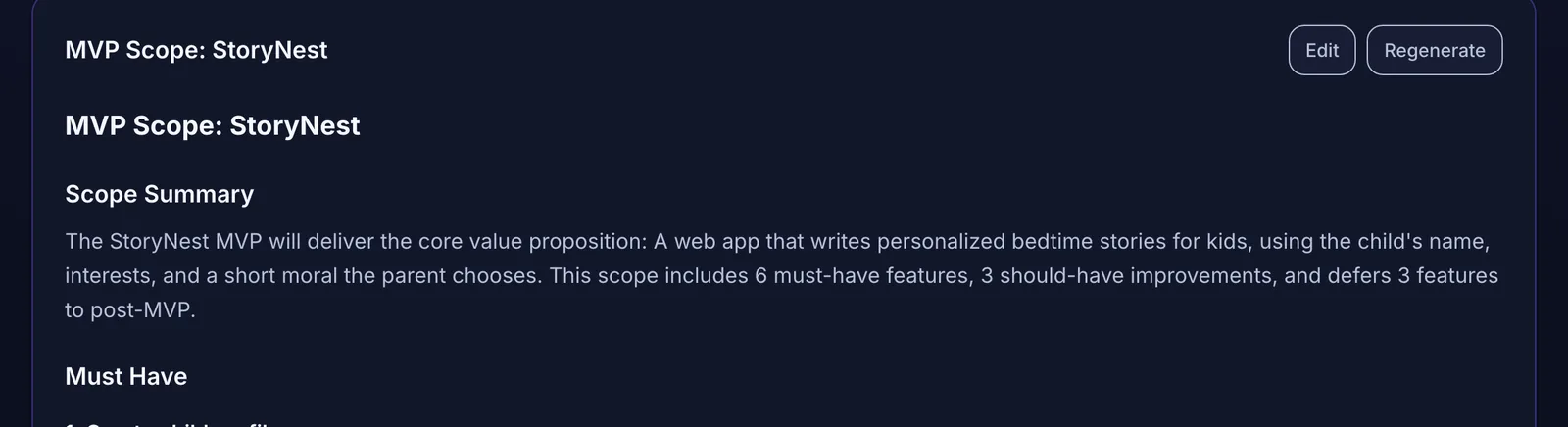 Product context written down once, outside any chat session.
Layer 3: The task brief (loaded per session)
Each working session should start with a brief for exactly one task:
A good task brief is what lets you start a fresh session without losing anything. The agent doesn't need yesterday's conversation. It needs the rules file, the right spec, and this brief.
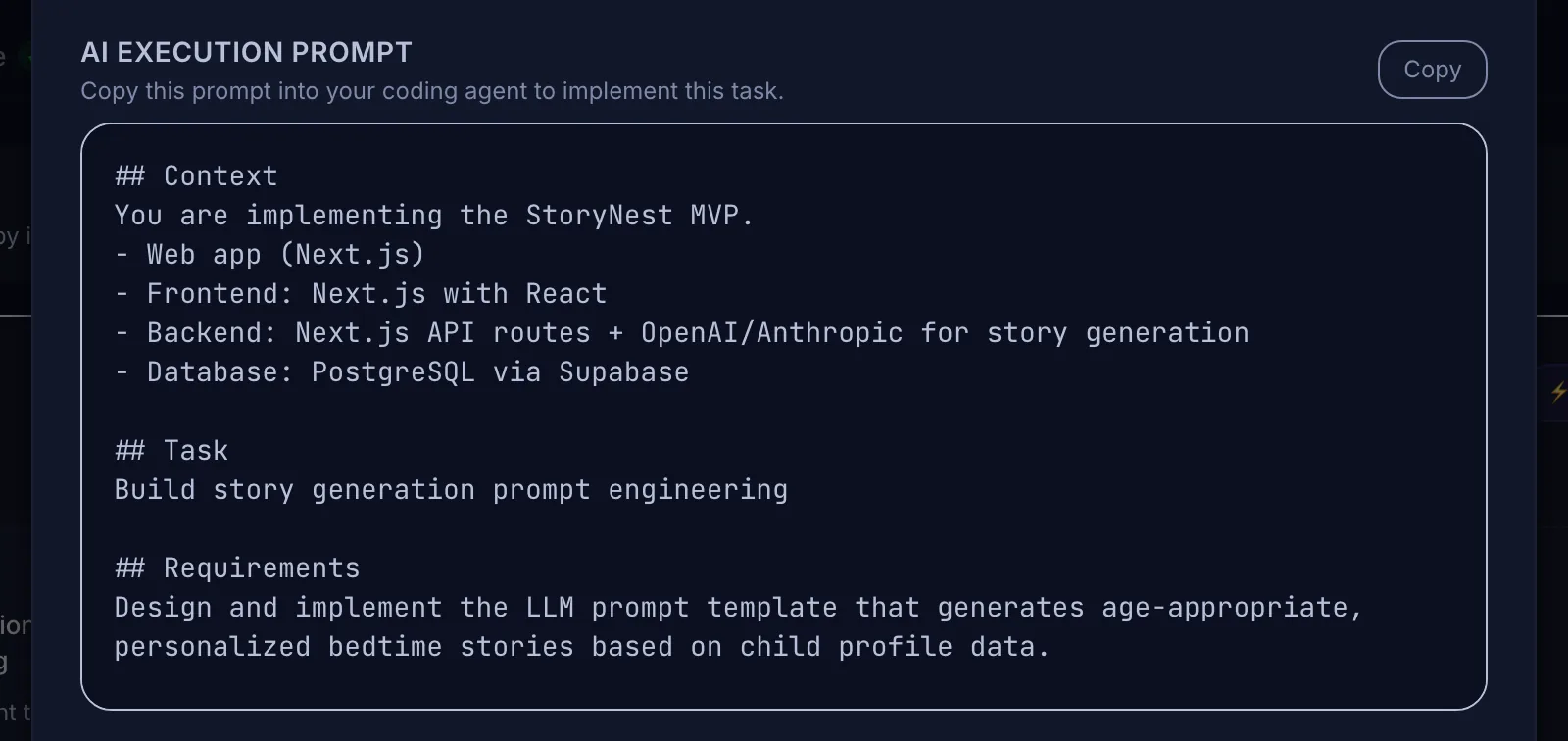 Each task prompt opens with the project context, so a fresh agent session starts informed.
How the common tools load context
Most tools now support the rules layer natively. The file names differ:
If you use more than one tool, keep one source of truth (often AGENTS.md or a docs folder) and point each tool's file at it, rather than maintaining four diverging copies. For how three common tools differ, see Cursor vs Claude Code vs Kiro.
A session routine that keeps context intact
Files only help if the way you work uses them. This routine works with any agent:
Signs your context setup is failing
Each of these points to a missing or outdated layer. Claude Code's guidance has a useful rule of thumb: add to CLAUDE.md when Claude makes the same mistake a second time, or when you type the same correction you typed last session (docs).
Limitations worth knowing
Where Mogryat helps
Mogryat keeps layers 2 and 3 for you. A project holds the product brief, MVP scope, architecture decision, and technical plan. Every task on the board gets acceptance criteria and an AI execution prompt that starts with the project context: app type, stack, and the specific requirements for that task. You copy the prompt into Claude Code, Cursor, or any other agent, or run the task from Mogryat with your own API key.
Because the context lives in the project rather than in a chat, a new session, a different tool, or a different agent starts from the same decisions. You still own the rules file in your repository, and you still review the output.
For how the planning side fits together, see from app idea to launch: an AI-assisted development workflow.
Keep your project planning and execution organized →