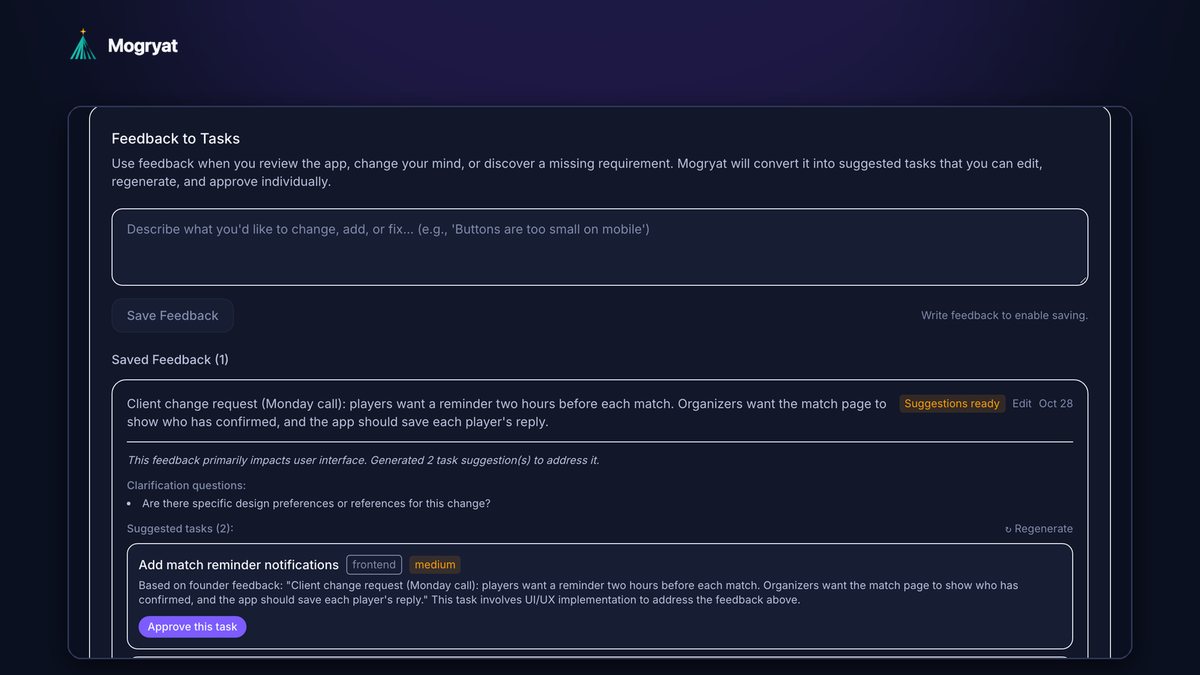
To handle scope changes in AI-assisted client projects, treat every request as a change request before anyone writes code. Log it in the client's words, decide whether it's a fix inside the agreed acceptance criteria or a change outside them, break any change into tasks with their own criteria, estimate them, and get written approval before they reach the task board. AI makes building a change fast, which is exactly why the approval step matters more than it used to. A feature that takes an afternoon to prompt still has to be tested, maintained, and paid for.
This article gives you a lightweight change process, message templates, and the AI prompts that make each step quick.
Why AI makes scope creep worse
Scope creep used to be slowed down by effort. If a request took two days, you'd naturally stop and discuss it. With AI coding tools, the same request might take an hour, so it's tempting to just do it.
The problems show up later:
- The "quick" change wasn't in the quote, so it's unpaid.
- It touched code the AI then had to work around in other tasks.
- Testing, review, and maintenance weren't counted.
- The client now expects similar changes to be free.
- Nobody wrote it down, so at delivery there's a disagreement about what was agreed.
- The phase scope: in, should-have if time allows, and explicitly out
- Acceptance criteria for each task
- The price and timeline, with assumptions listed
- Fix: the delivered work doesn't meet an agreed acceptance criterion. This is your responsibility and isn't billed.
- Clarification: the criterion was ambiguous and the request picks a reasonable interpretation. Discuss, and usually absorb if small.
- Change: new behavior not covered by any agreed criterion. This needs an estimate and approval.
- Send a notification to each confirmed player two hours before the match
- Players can turn match reminders off in settings
- No reminder is sent for cancelled matches
- Store each player's reminder preference
- Date and source
- The request in the client's words
- Classification: fix, clarification, or change
- Tasks and estimate
- Decision: approved, rejected, deferred, or swapped
- Date of the decision
The fix isn't to refuse changes. Clients change their minds for good reasons, usually because they learned something. The fix is a process that makes each change visible and priced.
Start with a baseline
You can only recognize a change if you know what was agreed. Before work starts, make sure the client has confirmed:
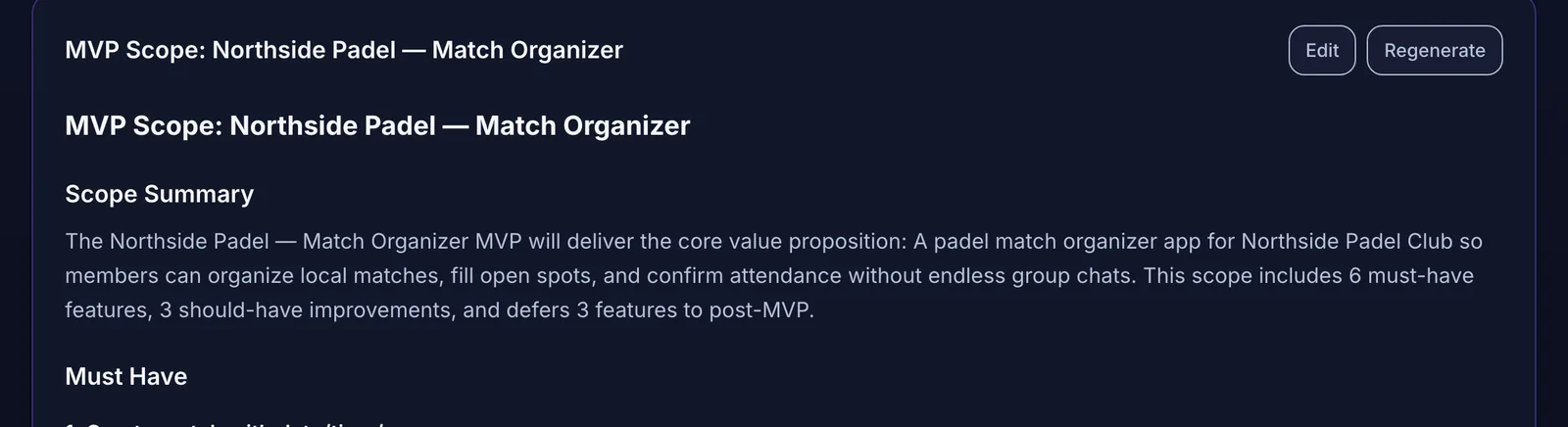 The agreed scope is the baseline every change request is measured against.
If you need help building that baseline, see how to turn client requirements into development tasks.
The five-step change process
Step 1: Log the request in the client's words
Write the request down exactly as the client said it, with the date and the source (call, email, chat). Don't rephrase it yet. The original wording matters if there's a disagreement later.
A fictional example from a padel club project, after a Monday call:
Players want a reminder two hours before each match. Organizers want the match page to show who has confirmed, and the app should save each player's reply.
Step 2: Classify it
Every request is one of three things:
In the example, showing confirmed players was partly covered already (the attendance screen showed the count and names). The reminder notification was new. So the request was part clarification, part change.
An AI assistant is useful for a first pass:
Here is the agreed scope with acceptance criteria, and a new client request. For each part of the request, say whether it is covered by an existing criterion (quote it), partly covered, or new. Don't estimate anything yet.
Check its answer yourself. You know the context the document doesn't capture.
Step 3: Turn the change into tasks
Break the new behavior into tasks with acceptance criteria, exactly like the original scope. For the reminder:
Splitting the change usually reveals hidden work. Here, a reminder needed a scheduled job and a settings screen, which a one-line request didn't make obvious.
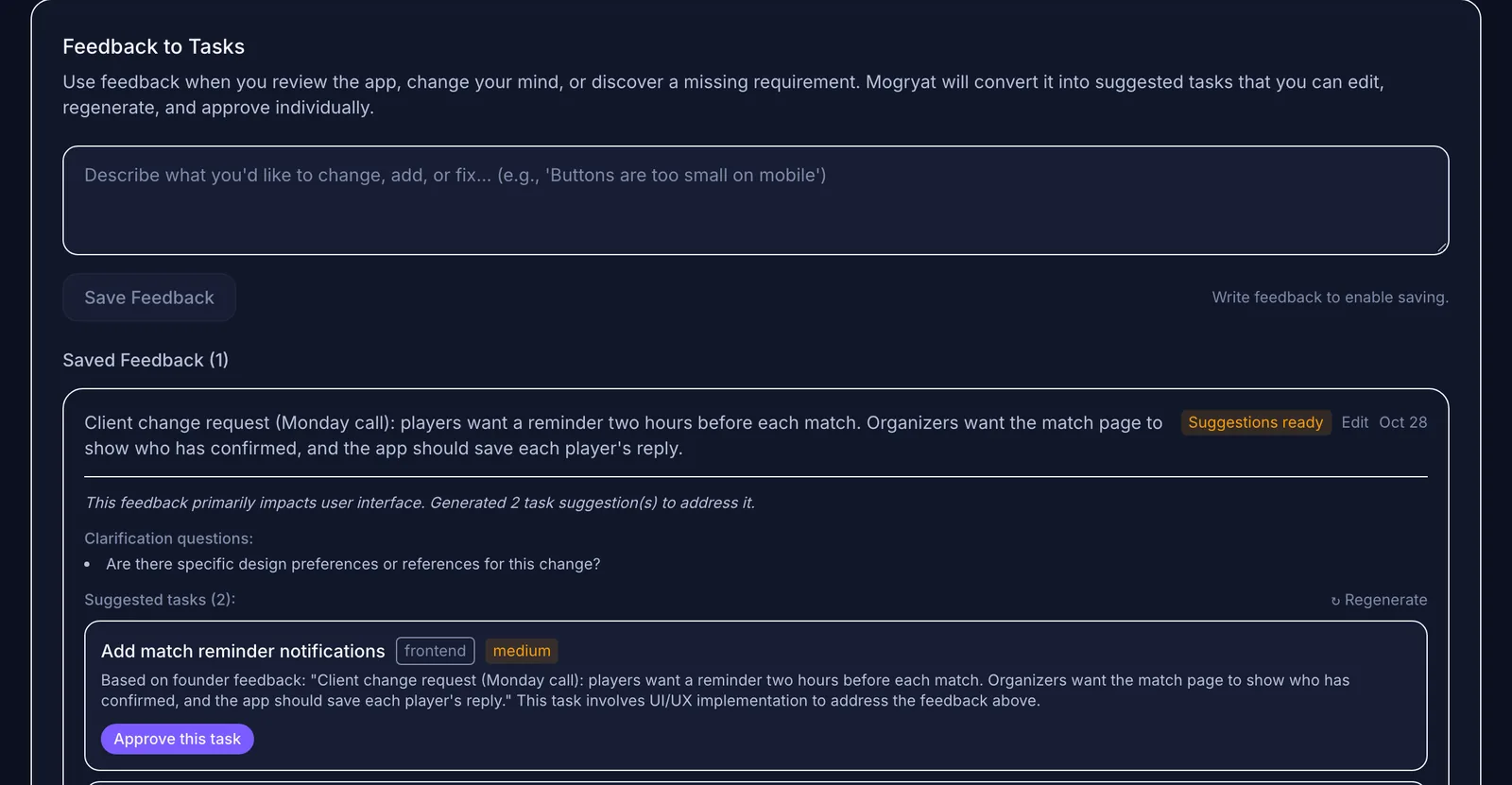 Log the request in the client's words, then review the suggested tasks before anything is added.
Step 4: Estimate, and show the effect
Estimate each new task. Then tell the client three things: the cost, the effect on the timeline, and what (if anything) moves out to make room. A simple message works:
Thanks for the request. Here's what it involves: [tasks]. It adds [estimate] and moves delivery from [date] to [date]. Alternatively, we can swap it for [deferred item] and keep the date. Which would you prefer?
Offering a swap is often the most useful option. It keeps fixed-price projects fixed and makes the trade-off concrete.
Step 5: Approve before building
Only approved tasks go on the board. Partially approved requests are common: the client wants the confirmed-player list now and the reminder in phase 2. Approve the first, leave the second visible but off the board.
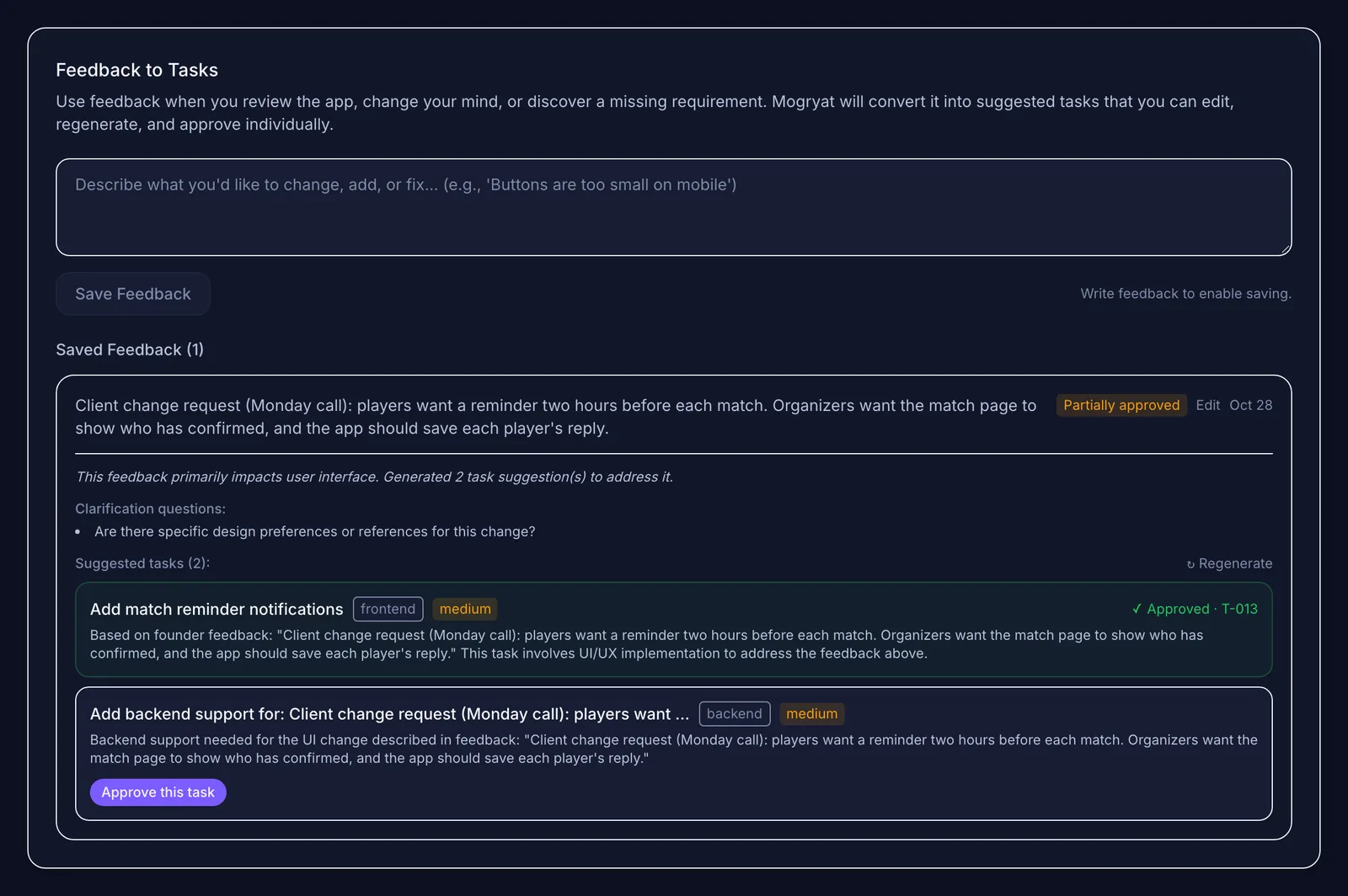 Approve only what the client agreed to pay for. The rest stays visible but off the board.
Keep a change log the client can see
A shared change log prevents most end-of-project disputes. For each request, record:
Send the log with your weekly status update. Clients appreciate seeing the trail, and it makes the final invoice unsurprising.
Handling requests that arrive mid-task
Sometimes the client changes a detail of a task that's already in progress. If the change stays within the task's acceptance criteria, adjust and note it. If it changes the criteria, pause, update the criteria, and treat the difference as a change request. Don't let an AI coding session absorb new requirements silently. That's how the code and the agreed scope drift apart.
Writing contracts that support this
Your contract should say how changes are handled: that requests outside the agreed scope are estimated separately, need written approval, and may affect the timeline. This isn't legal advice. Check the specifics with someone qualified in your jurisdiction. The process above only works if the contract allows it.
When to absorb small changes
Being flexible builds goodwill. A reasonable policy: absorb clarifications and genuinely tiny changes, log them anyway, and say so ("happy to include this; noting it in the change log"). The log shows the client the value you're adding, and it stops tiny changes from adding up unseen.
How Mogryat handles change requests
In Mogryat, each client project has a feedback log that works as a change request inbox. You save the request as written, and Mogryat generates suggested tasks for it, each with a type, priority, and description linked to the original request. You approve suggestions one at a time, so a partially approved change is easy to represent: approved tasks get a task number on the board, and the rest stay on the request until you decide. Editing a request clears suggestions that weren't approved, so stale suggestions can't slip through. The agreed MVP scope, with its not-in-v0.1 list, sits in the same project as the baseline.
It doesn't send the client a quote or track invoices. You still estimate, price, and get approval in your own channel.
For the bigger system around this, see managing multiple freelance software projects with AI. If your projects mix quick prompting and written specs, spec-driven versus prompt-driven coding explains when each fits.