To manage several freelance software projects with AI, give every client a separate workspace that holds four things: the agreed scope, the key decisions, a task board, and a change log. Use AI to fill those workspaces faster (turning kickoff notes into a brief, requirements into tasks, and change requests into estimates), not as a shared chat that holds everyone's context at once. Then run a fixed weekly rhythm: review each board, send a short status update, and log every scope change before you build it.
This guide sets up that system step by step, with the AI prompts and checks that make it work across three or more clients.
Why multiple client projects get messy faster with AI
AI tools have made each project faster to build. They haven't made running several projects at once any easier. If anything, the failure modes got sharper:
- Context bleed. You ask an AI assistant about the bakery's pre-order flow, and the answer borrows assumptions from the physio clinic you discussed an hour ago in the same chat.
- Invisible scope creep. A client mentions a "small" addition in a call, you prompt it into existence the same afternoon, and nobody wrote down that it wasn't in the quote.
- Expensive context switching. Coming back to a project after a week means rereading chat history and code to remember what you decided. Research on interrupted work found that people compensate for interruptions by working faster, at the price of more stress and time pressure (Mark, Gudith and Klocke, CHI 2008).
- Mixed-up costs. One AI subscription and one API key across every client makes it hard to see what each project actually costs you.
- Start a new AI session per client and per task. Don't reuse a long chat across projects.
- Keep a short rules file in each client repository (stack, commands, conventions), plus links to that client's brief and decision log. Most coding tools load such a file automatically. Here's how to keep AI coding agents from losing project context.
- When you hand a task to an AI coding tool, include the task, its acceptance criteria, and the relevant decisions. Nothing from other clients.
- Never paste client credentials, personal data, or confidential documents into an AI tool unless your contract and the tool's data terms allow it.
- Monday, 30 minutes: review every board. Move anything blocked to the top of your client questions. Decide which two or three tasks per client move to Ready this week.
- Daily: work in client blocks, ideally half a day per client. Close the session with a two-line handoff note in the project: what changed, what's next. A switching ritual for multiple AI projects keeps the change between blocks short.
- Friday, 10 minutes per client: send a status update with tasks done, tasks in progress, open questions, and logged change requests awaiting approval.
- Decide whether it's a fix (inside the agreed acceptance criteria) or a change (outside them).
- If it's a change, break it into tasks and estimate them.
- Send the client the estimate and its effect on the timeline.
- Only approved changes go on the board.
- Final scope and price
- Approving change requests
- Reviewing code before it reaches the client
- Anything involving client data, credentials, or production systems
- Mark, Gudith and Klocke, "The cost of interrupted work: more speed and stress," CHI 2008
None of these are solved by a better model. They're solved by structure.
The client workspace: four artifacts per project
For each client, keep these four things together, in a project tool, a repository folder, or both.
1. The agreed scope
What you're delivering in this phase, what's explicitly not included, and the acceptance criteria the client will sign off against. This is the document you'll point to when a request arrives that isn't in it.
2. The decision log
Short, dated entries: stack choice and why, integrations, anything the client decided on a call. "2026-10-14: client confirmed patients pay at the clinic in phase 1; no online payments." This is also what your AI coding tools read so they don't re-argue settled questions.
3. The task board
Small tasks with acceptance criteria, each in one status: backlog, ready, in progress, review, done. The board is your answer to "where are we?" for both you and the client.
4. The change log
Every request that changes scope, timeline, or price, with its status: logged, estimated, approved, rejected, or deferred. More on this below.
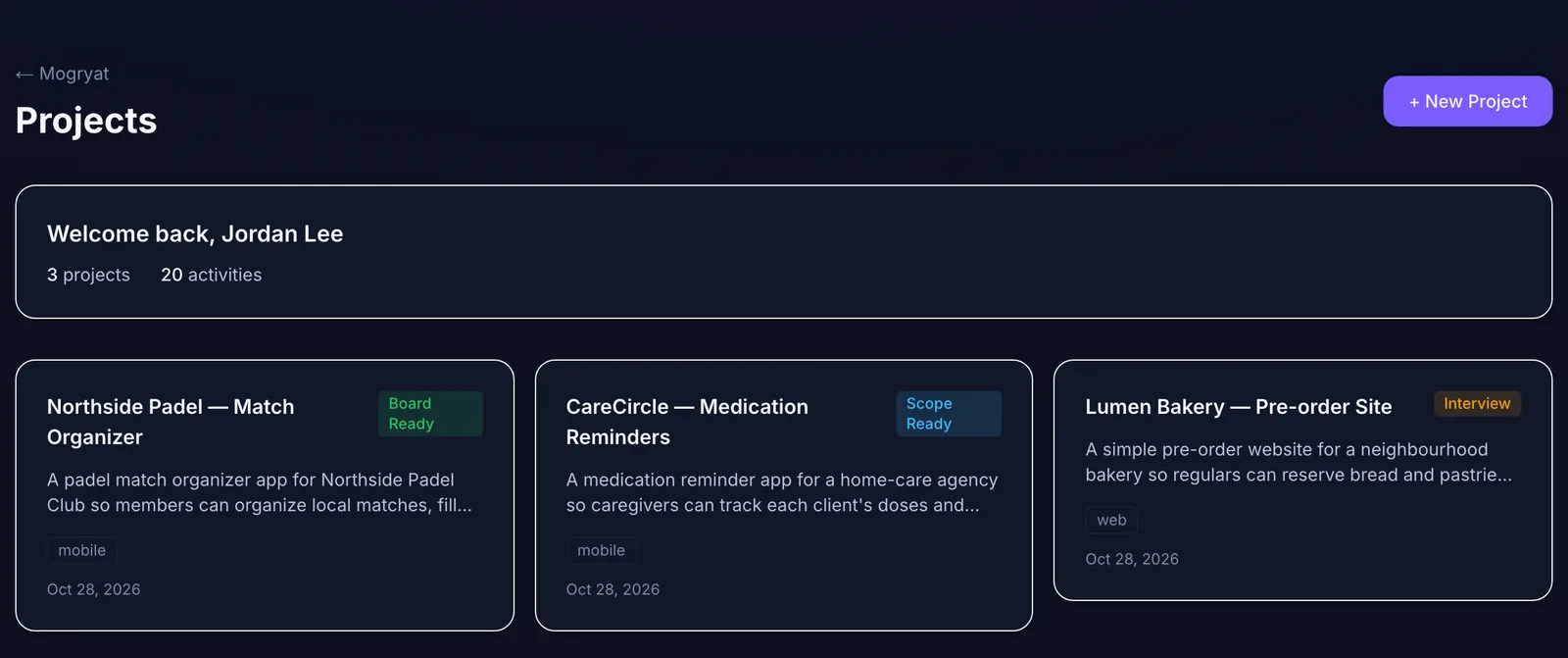 Three clients, three stages, one list.
Step 1: Standardize intake for every new client
Use the same intake for every project so nothing depends on memory. After the kickoff call, paste your notes into an AI assistant with a prompt like:
These are my kickoff notes for a client software project. Turn them into a one-page brief with: problem, users, proposed solution, phase 1 objective, constraints (budget, deadline, compliance), assumptions, and open questions for the client. Do not add features I didn't mention. List anything ambiguous as an open question.
The last two instructions matter. Left alone, AI assistants tend to fill gaps with plausible features, and plausible features are how fixed-price projects lose money.
Send the open questions to the client before you write a quote.
Step 2: Turn the brief into scoped tasks
Once the client answers, break phase 1 into tasks. Each task gets a title, a short description, a type, a priority, and three to six acceptance criteria. Estimate per task, then sum. Tasks you can't estimate are a sign the requirement is still vague.
Keep a "not in this phase" list visible in the scope document. Clients rarely object to it at the start. They object when it appears for the first time halfway through. The guide on how to turn client requirements into development tasks shows this step in detail.
Step 3: Keep AI context per client, never shared
The rule is simple: one client, one context. In practice:
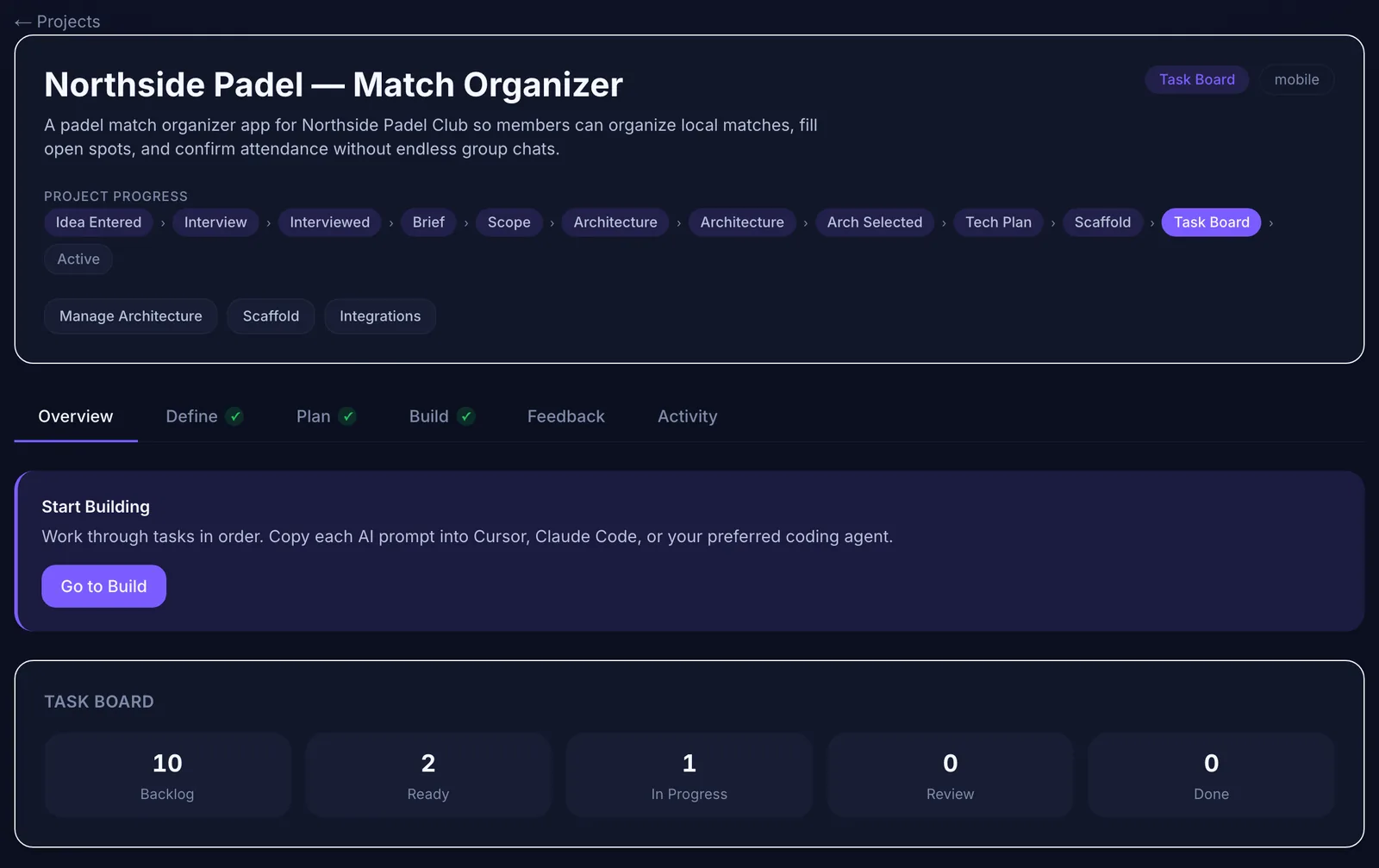 A per-client overview you can screenshot into a status update.
Step 4: Run a weekly rhythm across all clients
A fixed rhythm beats reacting to whichever client emailed last. One version that works for three to five concurrent projects:
The status update almost writes itself if the board is current. An AI assistant can draft it from the board in seconds, as long as you review it before sending.
Step 5: Handle change requests before you build them
Every change request goes into the change log first, in the client's words. Then:
This takes five minutes per request and protects both the margin and the relationship. Clients are generally fine with paying for changes. They are much less fine with discovering surprise invoices. The full process is in how to handle scope changes in AI-assisted client projects.
Step 6: Track cost and effort per client
If you use AI APIs for coding or generation, keep cost visible per project. Options range from separate API keys per client to a tool that reports usage per project. At minimum, note AI spend alongside hours in each project, so your next quote for a similar job is based on real numbers rather than impressions. More practices in how to reduce rework and token costs across client projects.
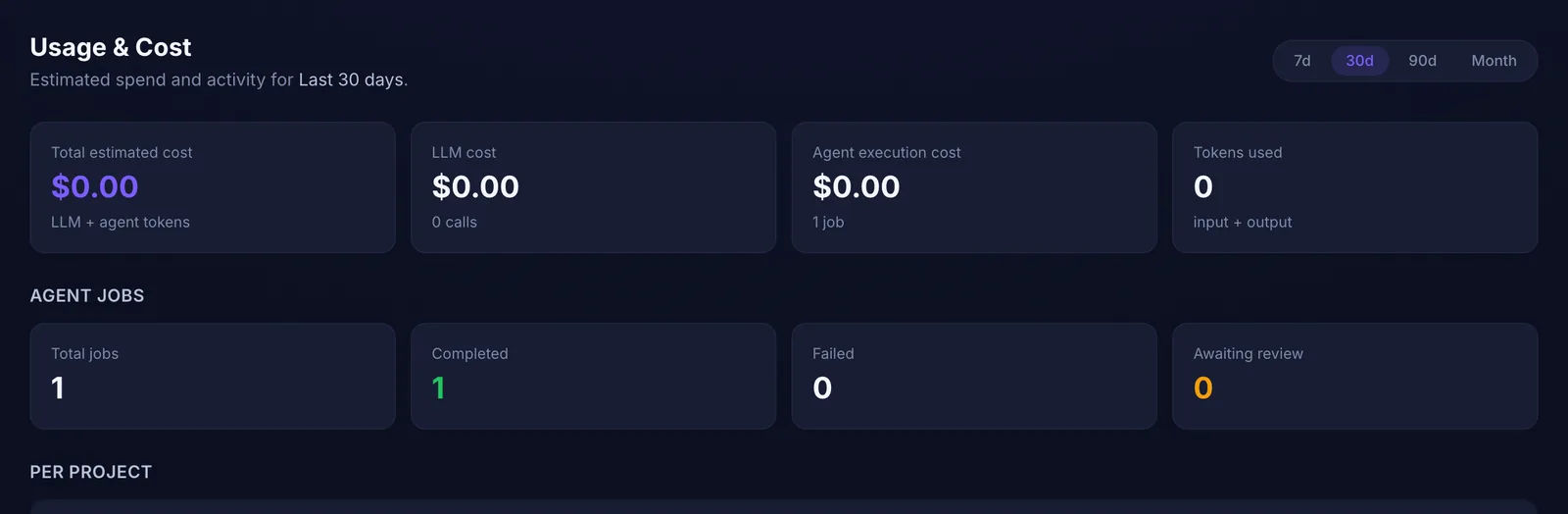 Usage and agent jobs, with a per-project breakdown further down the page.
What to automate and what to keep manual
Automate the drafting: briefs from notes, tasks from requirements, status updates from boards, handover documentation from specs. The guide to documentation and handover with AI shows how.
Keep these manual:
How Mogryat supports this setup
Mogryat gives each client project its own workspace with the brief, MVP scope, architecture decision, technical plan, task board, feedback log, and activity history. You can see every client's stage in one project list. Tasks carry acceptance criteria and AI execution prompts that contain only that project's context. Client change requests can go into the project's feedback log, where Mogryat suggests tasks you approve individually, so unapproved ideas never reach the board. Agent job counts and estimated costs are reported per project, and you can connect GitHub to commit to the client's repository or Jira to push tasks to the client's board.
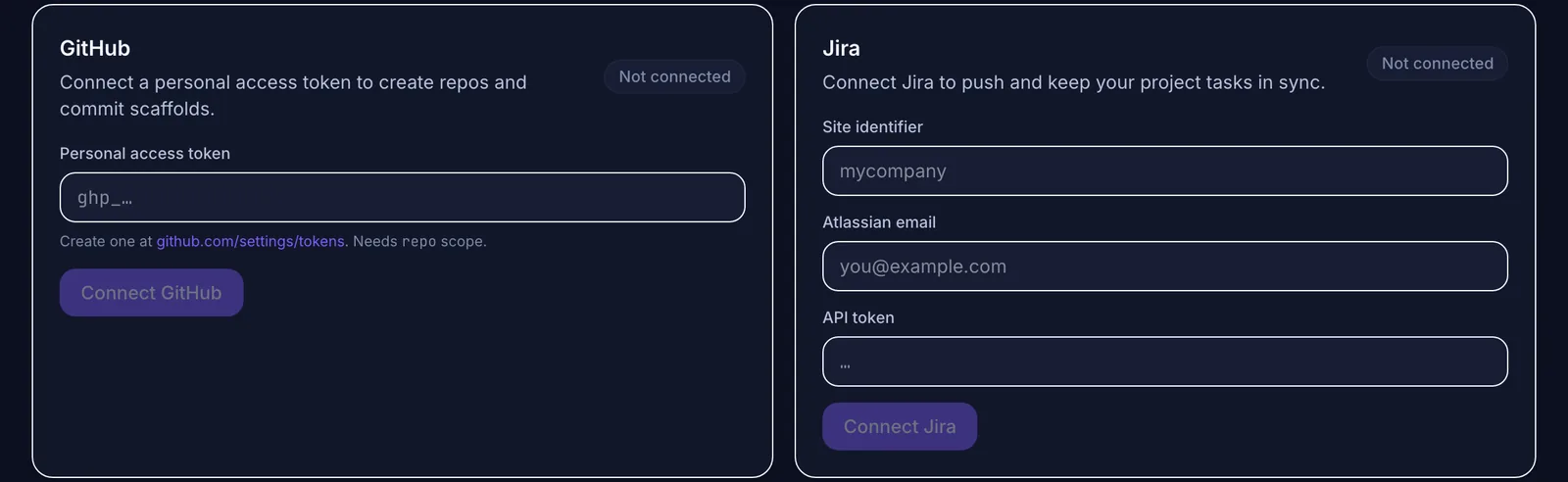 Push tasks to the client's Jira or commit to their GitHub, if that is where they want to see progress.
It isn't an invoicing or time-tracking tool, and it doesn't replace your contract. The free tier covers a small number of projects; check the pricing page for current limits if you run more clients than that at once.
If you're also planning products of your own, the idea-to-launch workflow and the guide to turning an idea into an MVP use the same structure.
Organize your next client project with Mogryat →