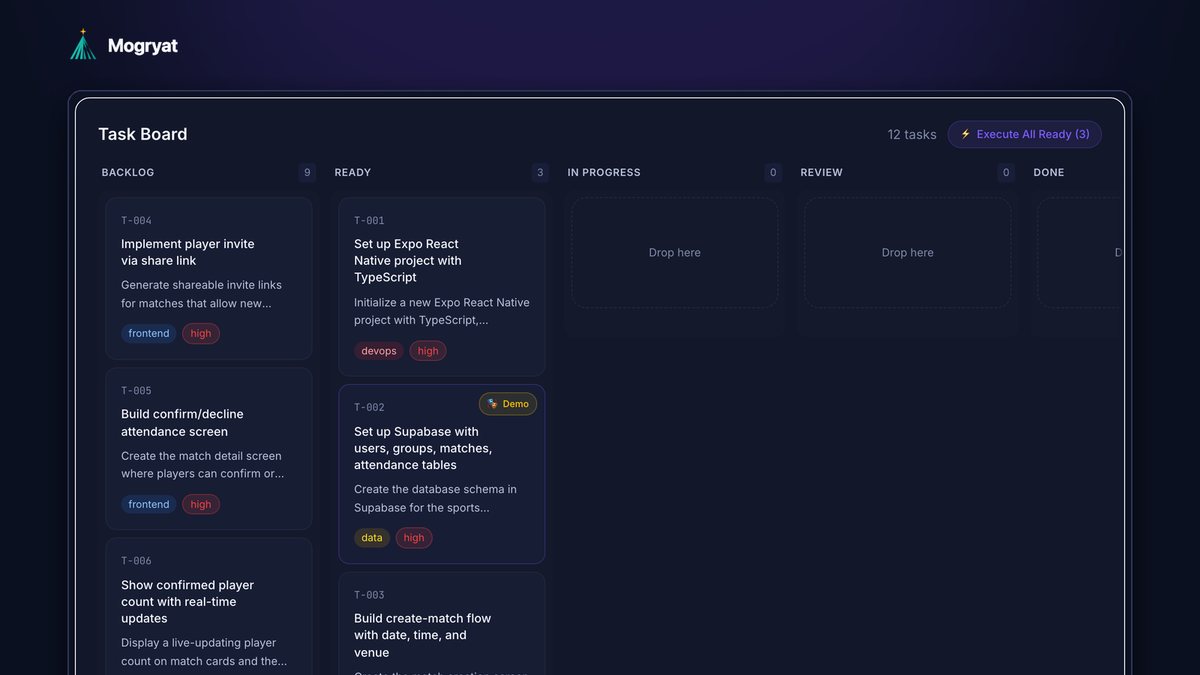
To turn client requirements into development tasks with AI, work in three passes. First, use AI to restructure the client's raw notes into a brief and a list of open questions, without inventing features. Second, after the client answers, scope phase one and split it into tasks that each deliver one piece of behavior. Third, give every task three to six testable acceptance criteria written in language the client can confirm. The acceptance criteria are what make the tasks estimable, buildable by an AI coding tool, and easy for the client to sign off.
Here's the process with a real example, the prompts to use, and the checks that catch problems before they reach your quote.
The problem with client requirements
Client requirements rarely arrive as requirements. They arrive as a kickoff call, a forwarded email, a voice note, and a screenshot of a competitor's app. They mix goals ("fewer empty courts"), solutions ("an app like Playtomic"), constraints ("before the summer league"), and wishes ("maybe payments later").
If you hand that mix straight to an AI coding tool, it will build something. It will also fill every gap with assumptions, and each assumption is a potential argument at delivery time.
The fix is to separate understanding from building.
The example: a padel club match organizer
In this fictional example, a freelancer, Jordan, is quoting a phase 1 for Northside Padel Club. From the kickoff call:
- 400 members, two venues
- Organizing four-player matches happens in WhatsApp groups and takes dozens of messages
- Spots stay empty when someone drops out late
- The club manager wants to see which courts will actually be used
- The manager isn't technical and wants a demo before the summer league
- Fixed-price phase 1
- Who exactly are the users, and how often will they use this?
- What happens today, step by step?
- Which platform: phone app, web, or both?
- Do users need accounts? Who can see what?
- Are payments in or out of phase 1?
- What data exists already, and where?
- What would make the client call this phase a success?
- Observable: someone can check them by using the product
- Specific: "shows the current attendance count with player names," not "shows attendance"
- Independent of implementation: they describe behavior, not code
- Few: three to six per task; more usually means the task should be split
- Project context: stack, conventions, relevant decisions
- The task title and description
- The acceptance criteria
- Implementation notes and constraints
- What not to change
- Letting AI fill gaps silently. Every invented detail is unpaid scope or a future dispute.
- Tasks without criteria. "Done" becomes a matter of opinion.
- Criteria the client can't read. If it mentions database tables, it's an implementation note, not a criterion.
- No "not in phase 1" list. It's your best protection against scope creep, which we cover in managing multiple freelance projects with AI. When changes arrive anyway, use a five-step change request process.
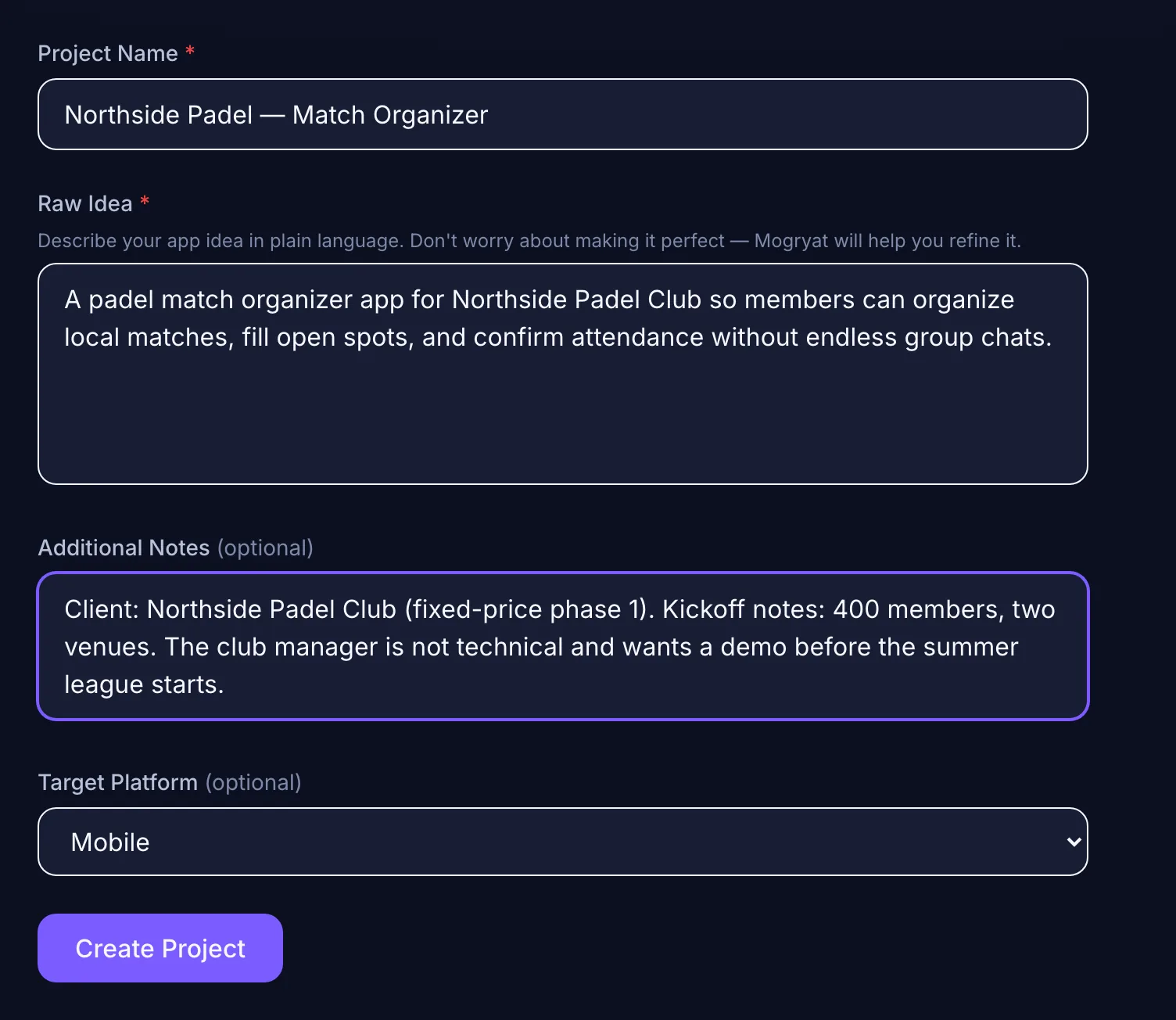 Start from the client's own words and your kickoff notes.
Pass 1: Structure the notes, collect the gaps
Paste your raw notes into an AI assistant with a prompt that forbids invention:
Here are my notes from a client kickoff call. Restructure them into: goals, users, current process, constraints, requested features, and open questions. Use only what's in the notes. Where something is unclear or missing, add it as a question for the client instead of assuming an answer.
Then add the standard discovery questions the notes don't cover:
Send the questions as a short questionnaire. Clients answer written questions more completely than they answer the same questions on a call.
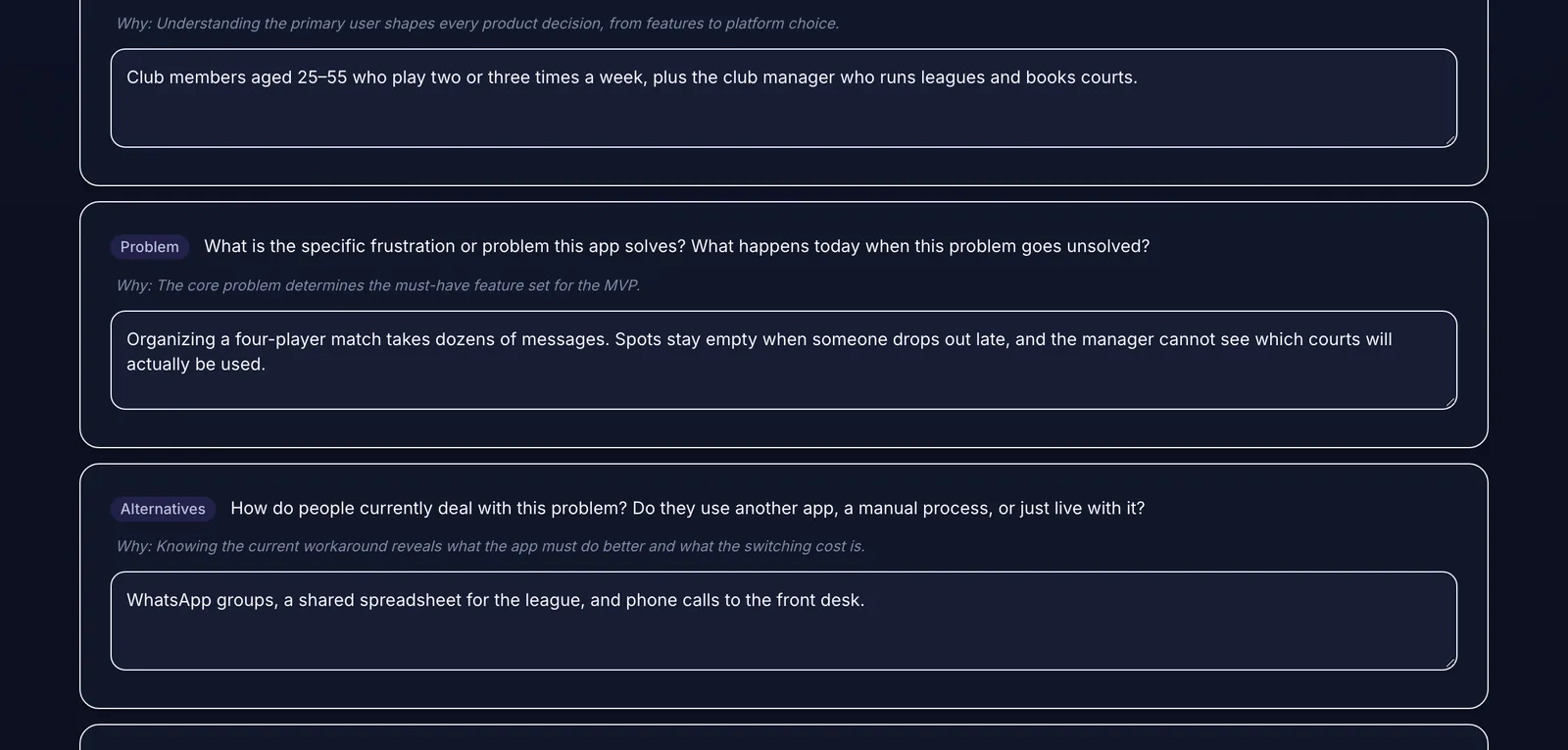 The interview doubles as a discovery questionnaire you can send to the client.
Pass 2: Scope phase one and split it into tasks
With answers in hand, write the phase 1 scope as three lists: in scope, should have if time allows, and explicitly not in phase 1. For the padel club, payments and multi-sport support went on the "not in phase 1" list. Court fees are still paid at the venue, and the club only plays padel.
Then split the scope into tasks. A useful rule: one task, one observable behavior. "Build the match screens" is too big. "Build the confirm or decline attendance screen" is right. Each task should be something you can demo in isolation.
Ask the AI to propose a task list from the scope:
From this phase 1 scope, propose development tasks. Each task should deliver one observable behavior and be small enough to build and test in a day or less. For each, give a title, a two-sentence description, a type (frontend, backend, data, testing, devops), and dependencies on other tasks. Order them so setup and data come first.
Review the list critically. AI-generated task lists tend to have two problems: tasks that are really three tasks, and missing "boring" tasks such as environment setup, seed data, or error states.
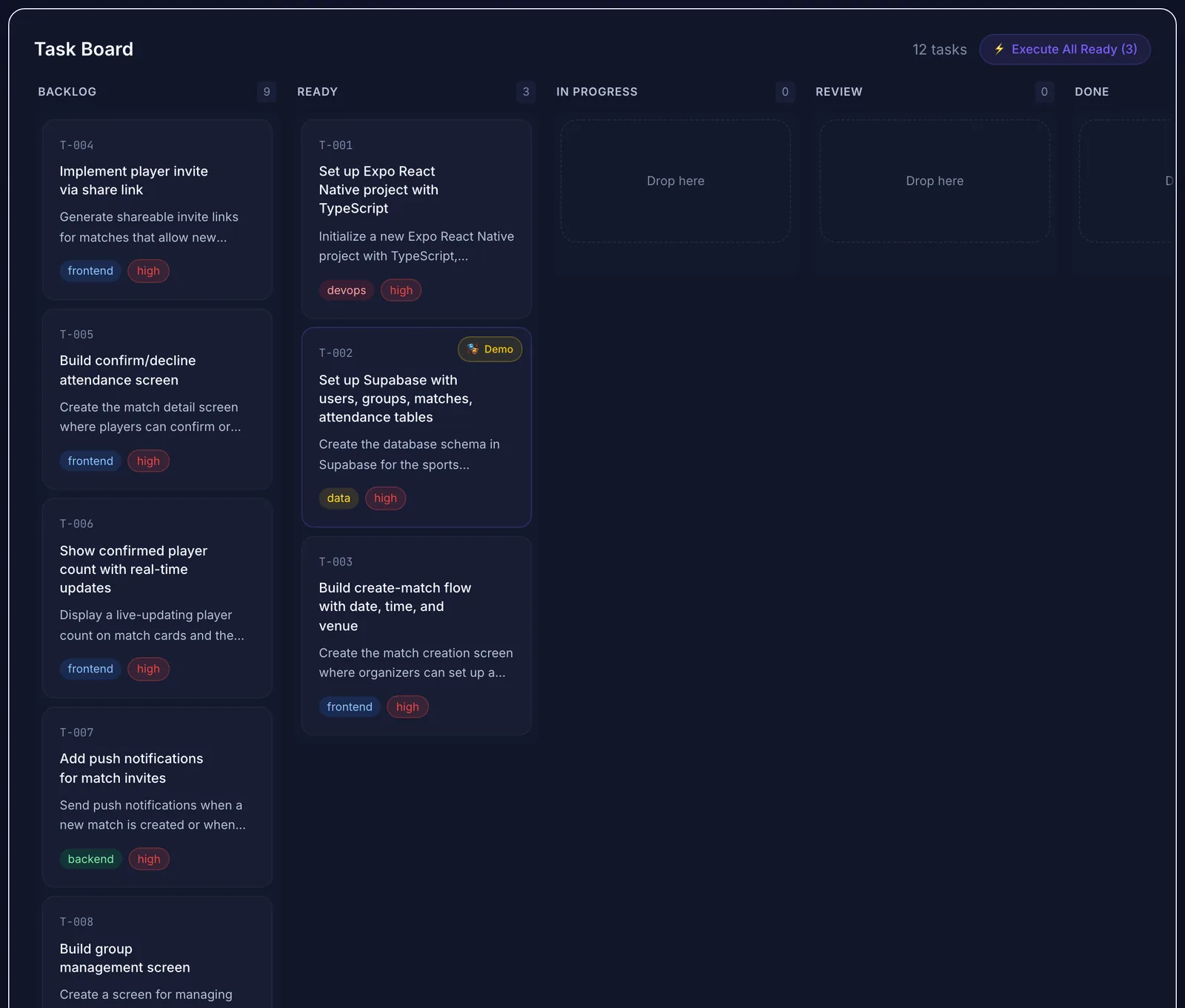 Requirements turned into twelve numbered tasks, ready for estimates.
Pass 3: Write acceptance criteria the client can confirm
Acceptance criteria turn a task title into a contract. Good criteria are:
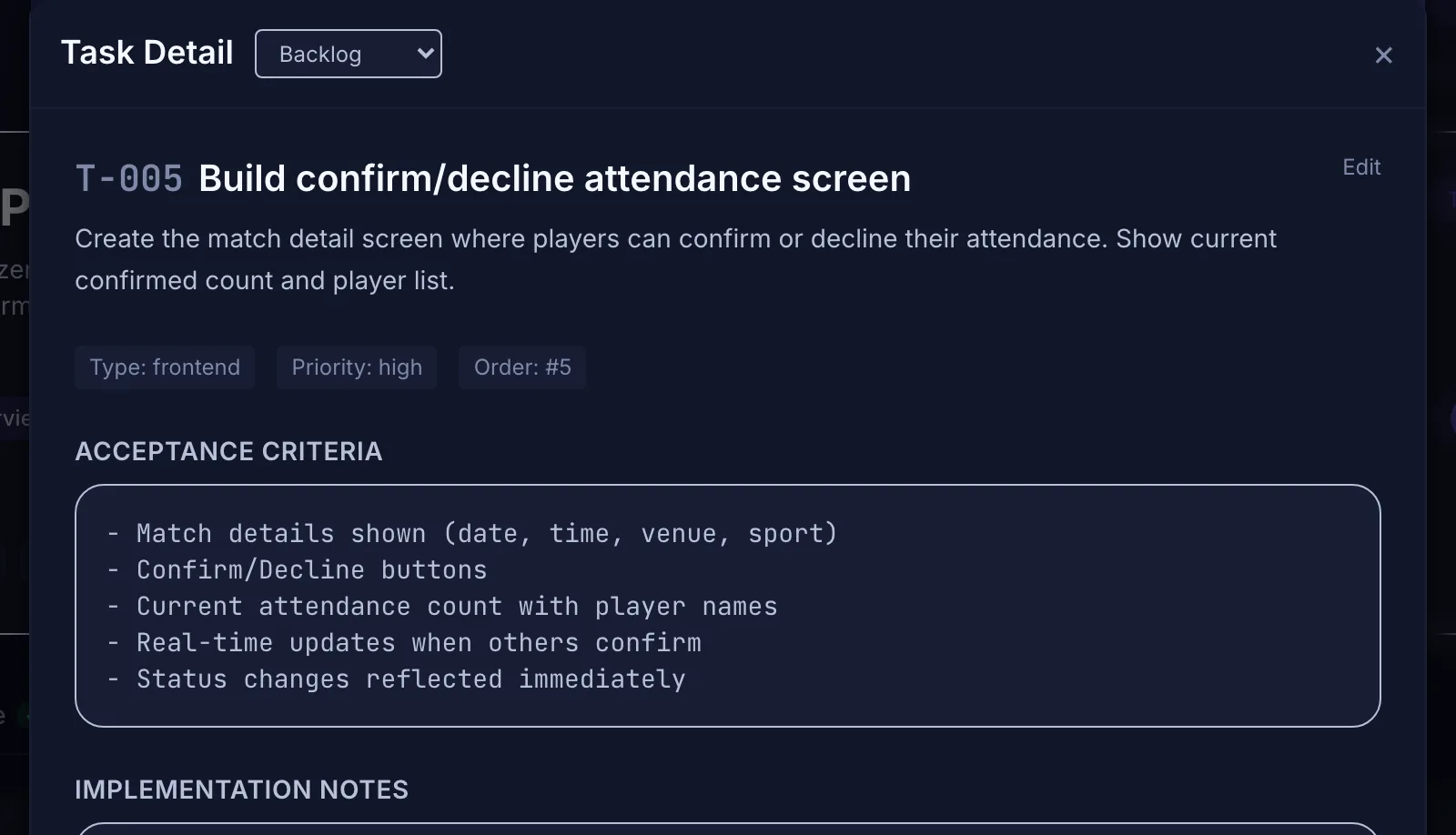 Acceptance criteria are the part the client can actually sign off on.
For the attendance screen, the criteria were: match details shown (date, time, venue); confirm and decline buttons; current attendance count with player names; live updates when others confirm; status changes reflected immediately.
If you work with user stories, the format "Given, when, then" works well for the trickier criteria: "Given a match with three confirmed players, when a fourth player confirms, then the match shows as full and the invite link stops accepting players."
Share the criteria before you quote
Send the client the task list with acceptance criteria and ask them to confirm. You'll find misunderstandings now, while they cost a message instead of a rebuild. This step also makes the eventual sign-off simple: each criterion is a yes or no.
Estimating from tasks
Estimate each task, not the project. Add a buffer for integration and review, and list the assumptions behind the estimate (for example, "the club provides the member list as a spreadsheet"). If a task resists estimation, the requirement behind it is still unclear. Go back to the client with a question rather than padding the number. The same task list later feeds the handover, so plan the handover from day one.
Handing tasks to an AI coding tool
Once approved, each task becomes a self-contained instruction for your coding tool:
One task per session keeps the AI focused and the output reviewable. The guide to keeping coding agents from losing context explains how to store the project context so each session starts from it.
Mistakes to avoid
Doing this in Mogryat
Mogryat follows the same three passes. You create a project from the client's idea and your kickoff notes, and the founder interview works as a discovery questionnaire. Your answers become a product brief and an MVP scope with a "not in v0.1" list. After you choose an architecture and generate the technical plan, the task board lays out numbered tasks with a type, priority, acceptance criteria, implementation notes, and a ready-to-paste AI execution prompt.
Everything is editable, so you can rewrite criteria in the client's language before sharing them. If the client tracks work in Jira, you can push the tasks there.
The generated tasks are a first draft. You still review them, split anything too large, and own the estimate.