To create good project documentation and handover with AI, generate the documents from artifacts you already have instead of writing them from memory at the end. Keep the brief, scope, decision log, technical plan, task history, and change log current during the project, then use AI to assemble them into a handover pack: an overview, how to run and deploy the system, architecture and decisions, what was delivered against the agreed scope, known issues, and an access checklist. Have the receiving person follow the setup steps on a clean machine before you call the handover done.
This guide covers what a handover pack should contain, how to produce each part with AI, and how to check it actually works.
Why handovers fail
Handover is usually the last task on the project, when you're tired and the next client is waiting. Common failures:
- The README describes the project as it was three months ago.
- Decisions aren't recorded, so the next developer reverses them or is afraid to touch anything.
- Access isn't transferred cleanly: accounts in the freelancer's name, keys nobody else can rotate, a domain registered to the wrong person.
- "Done" isn't documented, so a dispute about scope starts at the final invoice.
- Nobody tested the setup instructions.
- Ask the client's developer (or a colleague) to follow the getting-started steps on a clean machine and note every place they got stuck.
- Walk through deployment and rollback together once.
- Confirm the client can log into every account on the access checklist with their own credentials.
- Check that no secrets appear anywhere in the repository or documents.
- Write the brief and scope at kickoff and keep them current.
- Log decisions when they're made, not when you remember them.
- Give every task acceptance criteria and record its status.
- Log change requests and their approvals.
- Keep a short rules file in the repository so AI tools and people both follow the same conventions.
AI helps most where the information already exists in some form. It can't recover decisions nobody wrote down.
What a handover pack contains
1. Project overview
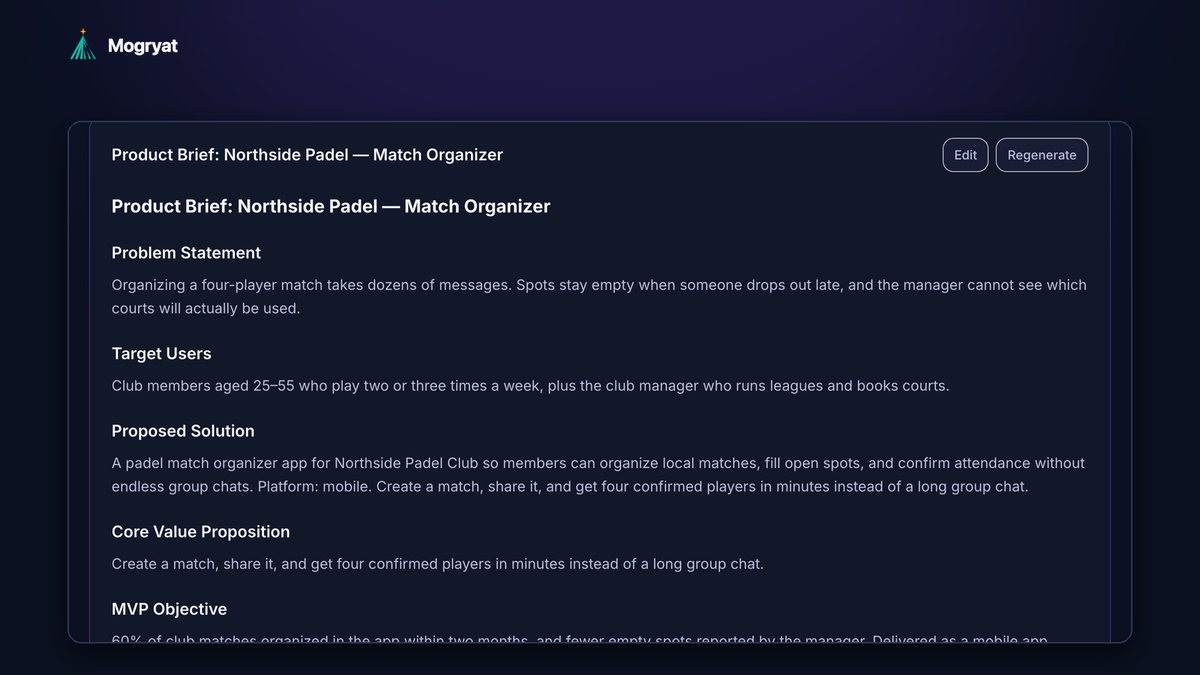
One page: the problem, the users, what the system does, and what it explicitly doesn't do. The product brief and scope from the start of the project are the best source.
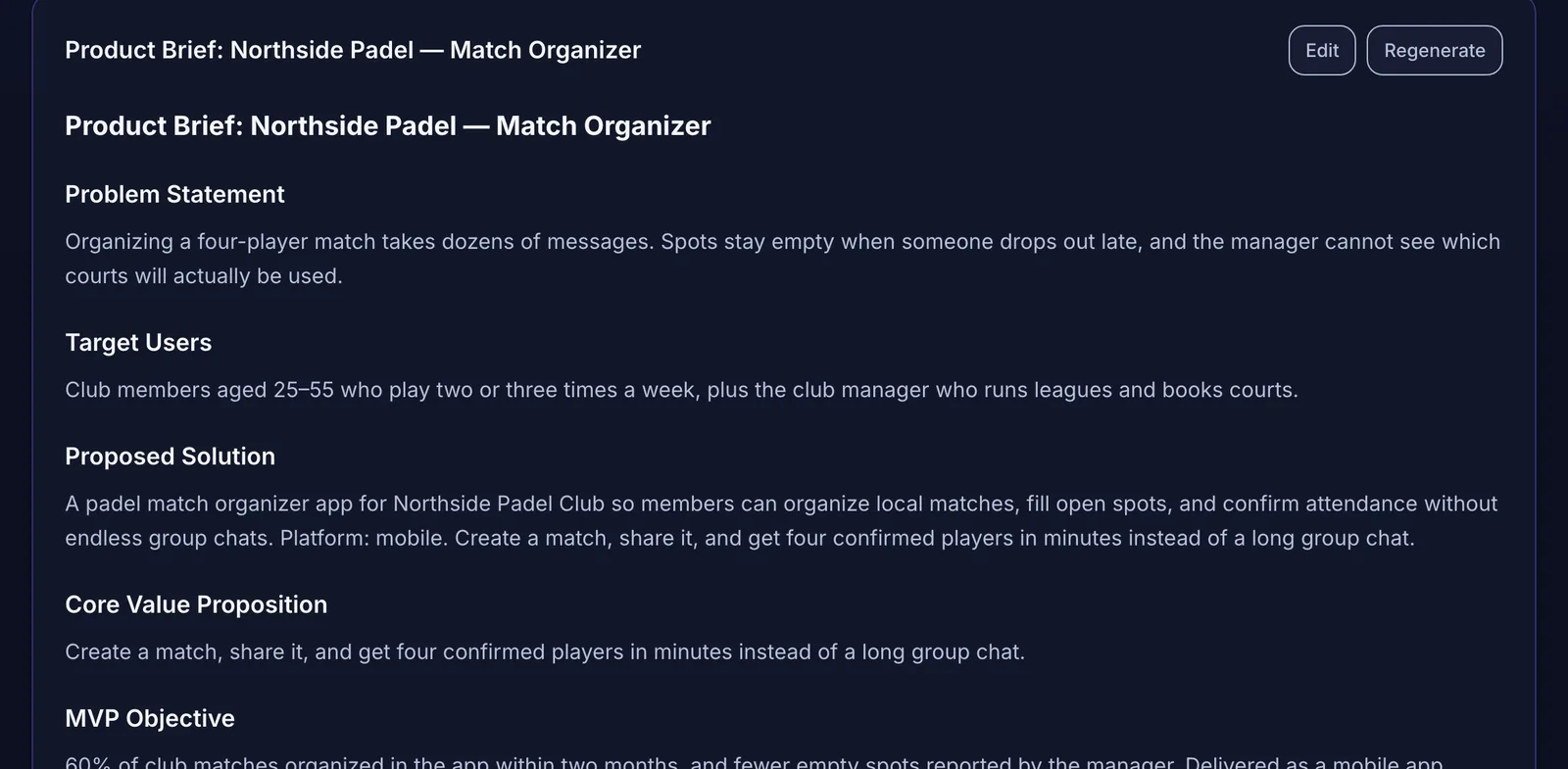 The brief you wrote at kickoff becomes the first page of the handover pack.
2. Getting started
How to run the project locally, step by step: prerequisites, installing dependencies, environment variables (names and purpose, never values), seeding data, and running tests. This section must be tested by someone other than the author.
3. Deployment and operations
How a change gets to production, where it's hosted, how to roll back, where logs and errors are visible, how backups work, and what scheduled jobs exist.
4. Architecture and decisions
The stack, a simple description of the main components and how they connect, the data model, and the decision log with reasons. "We chose X because Y" is the most valuable sentence in any handover.
5. Delivered scope
The agreed scope with each item marked delivered, deferred, or dropped, the acceptance criteria and their status, and the change log showing what was added or swapped with approval dates.
6. Known issues and next steps
Bugs you know about, technical debt you accepted on purpose, and suggested next tasks. Being honest here builds trust and protects you later.
7. Access and ownership checklist
Every account, service, and credential the client needs, and who owns it: code repository, hosting, database, domain, email service, analytics, app store accounts, API keys, payment provider. Transfer ownership or invite the client as owner, and rotate any keys you had access to. Send secrets through a secure channel, never in the documentation.
Producing each part with AI
Generate, then verify
AI is good at assembling and summarizing. Use it to draft each section from source material, then check every factual claim.
For the overview and architecture:
Here are the product brief, MVP scope, technical plan, and decision log for a client project. Draft a handover overview and an architecture section for a developer who is new to the project. Use only facts from these documents. Mark anything you're unsure about with [CHECK].
For getting started, give the AI the actual project files it needs: the package or dependency manifest, the environment example file, the CI configuration, and scripts. Ask it to write setup steps based on those files, not on general knowledge.
Using only these files, write step-by-step instructions to run this project locally on a clean machine. List required environment variables by name with a one-line purpose each. Don't invent commands that aren't in the scripts.
For delivered scope, give it the scope, the task list with statuses, and the change log:
Produce a delivered-scope table from these documents: each scope item, its status, and the related tasks. Include approved changes with their approval dates. Don't add items.
Keep a changelog during the project
A changelog written as you go is much more reliable than one reconstructed at the end. Add an entry per merged change: date, what changed, and why. Some tools can append entries automatically when they commit, which helps if you check them.
Test the handover
Documentation is only finished when someone else can use it. Before the final handover:
Fix what they hit, then hand over.
Start the handover on day one
The cheapest handover is the one you prepare continuously:
If you do this, the handover pack is mostly assembly. The guides on turning client requirements into tasks and handling scope changes cover the parts that make the delivered-scope section easy.
How Mogryat supports documentation and handover
Mogryat keeps most of the handover source material in one project from the start: the product brief, MVP scope with its not-in-v0.1 list, the architecture decision with tradeoffs, the technical plan with the data model, the task board with acceptance criteria and statuses, the feedback log of change requests and approvals, and the project activity history.
The scaffold step generates a starting folder structure and CI workflow file that you can commit to the client's GitHub repository or download as a ZIP. When Mogryat commits a scaffold or an agent's work to GitHub, it also appends an entry to a CHANGELOG.md in the repository.
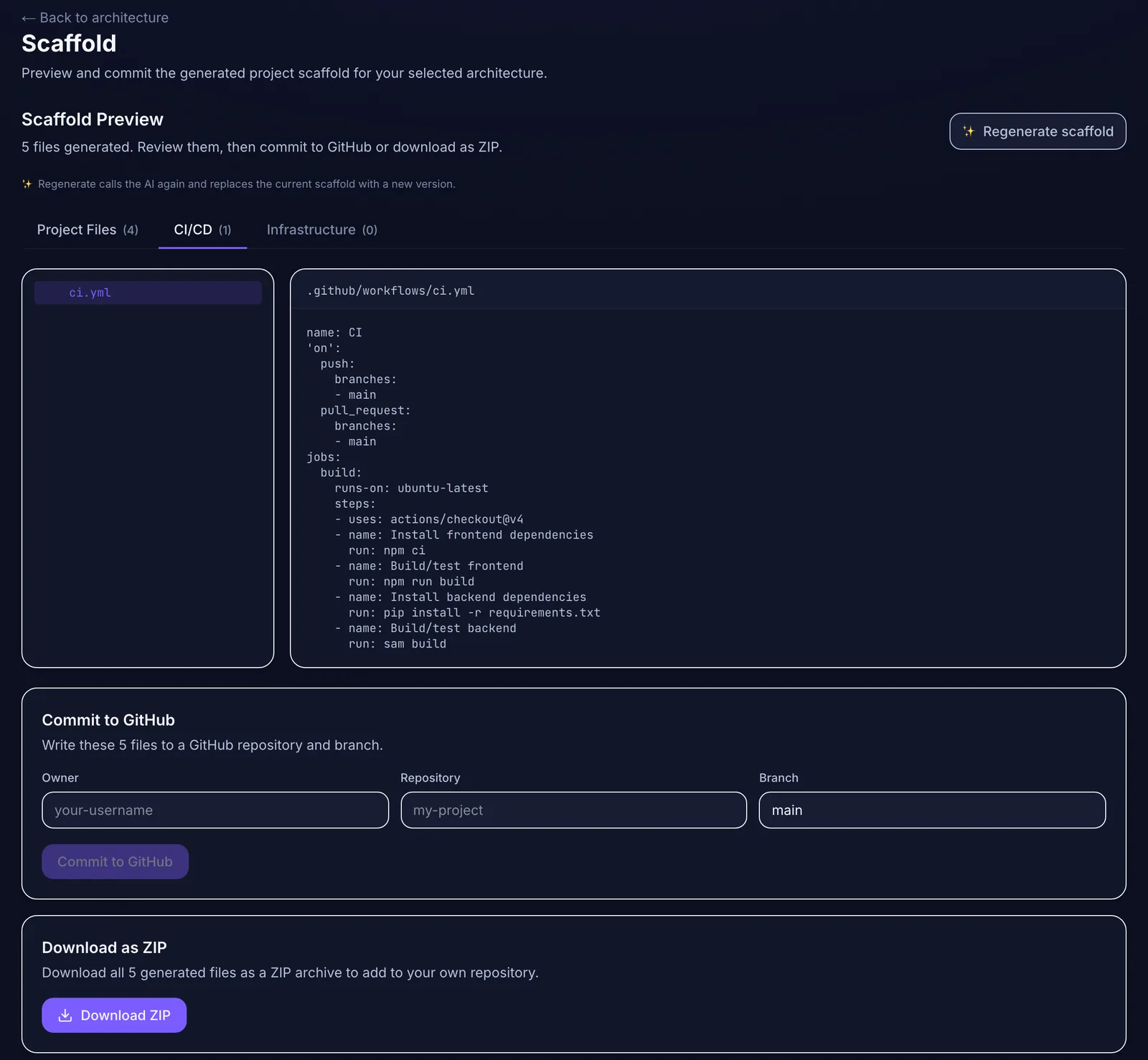 Generated project files and CI configuration can go straight into the client's repository.
Mogryat doesn't write your runbook or transfer account ownership for you. Use its documents as the source for the handover pack and keep the access checklist in your own process.
For the wider system of running several clients, see managing multiple freelance software projects with AI.