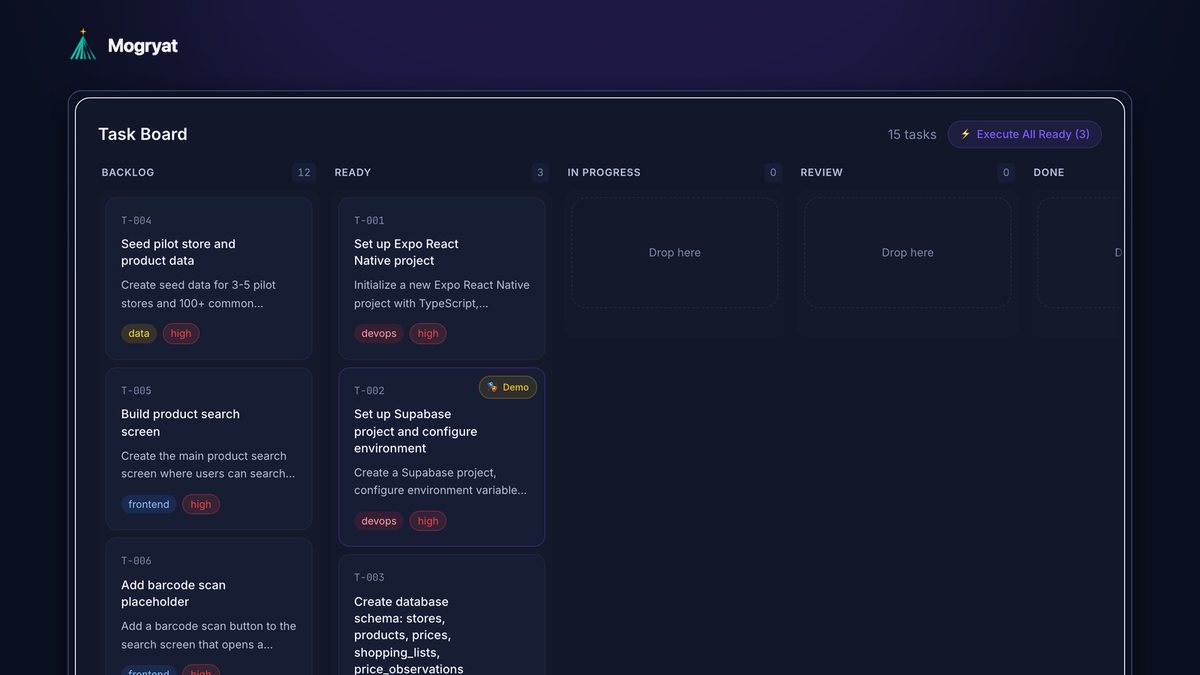
You can manage AI developers without a technical background by managing outcomes instead of code. Define each piece of work as a small task with acceptance criteria you can check by using the product, require every change to arrive as a reviewable pull request with automated checks, approve work only after you've verified the criteria yourself, keep the product decisions written down so neither people nor AI tools re-argue them, and cap spend. This works whether your "developers" are AI coding agents, human freelancers using AI, or a mix.
This guide gives you a practical management system and the questions to ask when you can't read the code.
Who your "AI developers" are
The phrase covers two situations:
- AI coding agents that write code from your instructions, such as OpenHands, Claude Code, Cursor's agent, or Copilot's cloud agent
- Human developers who use AI heavily, often freelancers who now deliver much faster than before
- Did it do what we agreed? Acceptance criteria answer this.
- Did it break anything? Automated tests and your own walkthrough answer this.
- Is it safe? Basic security checks and, for sensitive products, an expert review answer this.
- Was it worth the cost? Time and spend per task answer this.
- A title that names one behavior: "Build the store selection screen"
- Two sentences on what and why
- Three to six acceptance criteria you can check by using the app: "users can select several stores at once," "the selection is remembered next time"
- A priority
- What not to change
- The work happens on a separate branch, not directly in the live version.
- It arrives as a pull request: a reviewable bundle of changes with a description.
- Automated checks run: tests, a build, and code quality checks.
- Someone verifies the acceptance criteria.
- Only then is it merged.
- Open the app (a test version, not the live one, when possible).
- Walk through each acceptance criterion and tick it off.
- Try the obvious misuse: empty fields, double-clicking, going back, refreshing.
- Log in as a second test user and make sure you can't see the first user's data.
- What problem does this solve, and which task or criterion does it relate to?
- What are two alternatives, and why this one?
- What could go wrong, and how would we know?
- Does this change how user data is stored or who can access it?
- Is this needed for the current version, or can it wait?
- What will this cost per month once we have users?
- Set a monthly spend limit for AI usage and a budget per task for human work.
- Watch how many attempts tasks take. Repeated attempts mean the task description needs work.
- Limit work in progress. Two or three tasks in flight is plenty for one reviewer.
- Get a fixed scope and price for human work, with a written process for changes.
- Authentication, permissions, and anything touching payments
- Health data, children's data, or other sensitive personal data
- Database migrations on a product with real users
- Performance problems you can't explain
- Before a public launch
- Work regularly arrives without acceptance criteria being checked.
- Changes go straight to the live app without a pull request.
- You hear "it works on my machine" or "the AI said it's fine" as evidence.
- The same bug comes back after being fixed.
- Spend rises without corresponding progress on the board.
The management system is the same for both. Neither can read your mind, and both do better with clear tasks, written decisions, and a defined review step. The difference is that AI agents won't ask clarifying questions unless you tell them to, so your instructions need to be more complete.
What you manage: outcomes, not code
You don't need to judge the code to judge the work. You need to judge four things:
Everything below supports one of those four.
Step 1: Write work as small tasks with acceptance criteria
A task a non-technical manager can manage has:
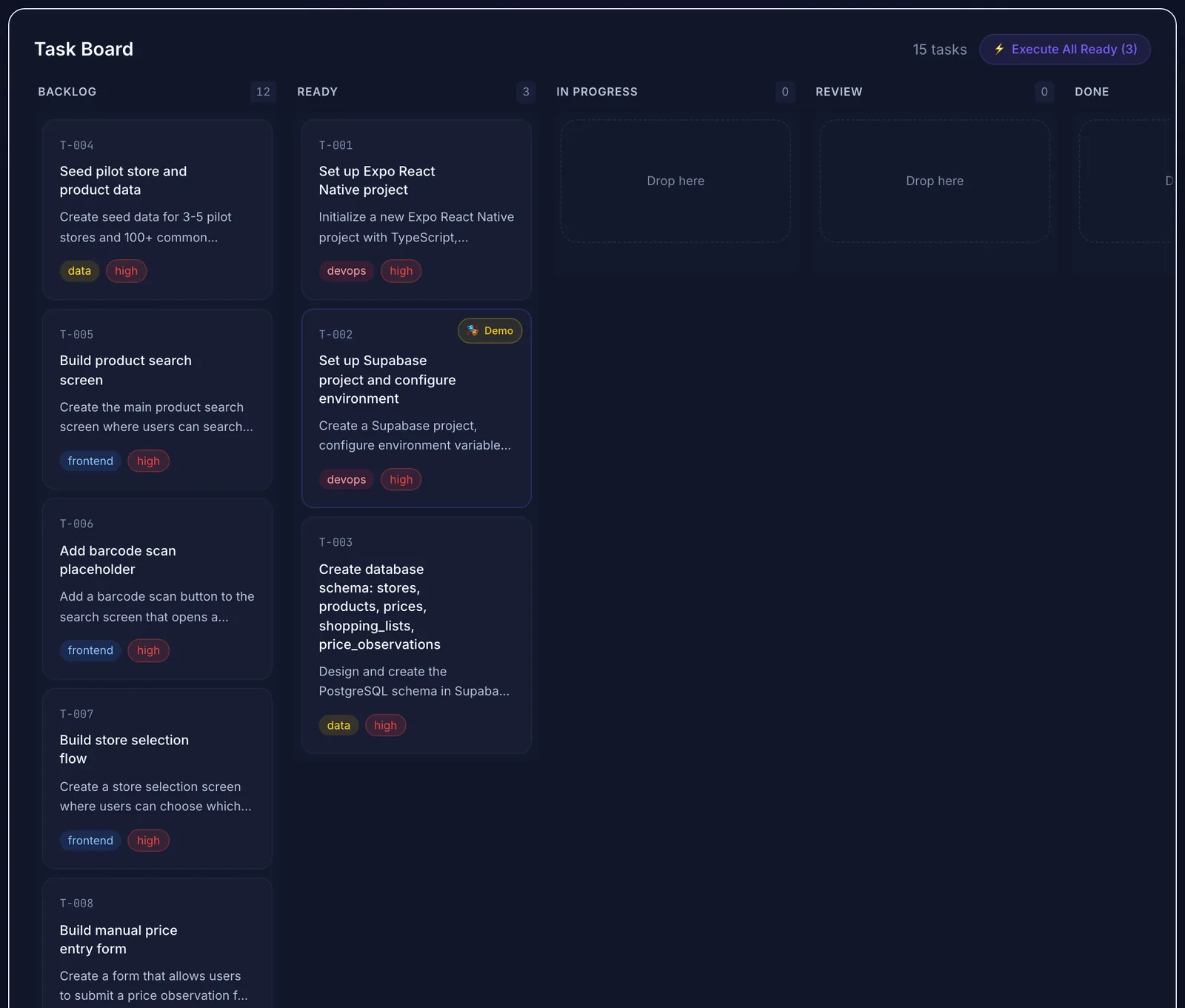 Small, numbered tasks with a clear status are the easiest thing to manage without reading code.
If you can't write acceptance criteria for a task, the requirement isn't clear yet, and no developer, human or AI, will get it right reliably. The guide on writing a PRD with AI shows how to get from an idea to criteria.
Step 2: Keep decisions where everyone can read them
Keep a short product brief, an MVP scope with an explicit "not in this version" list, and a decision log. Share them with every developer and load them into every AI session. When someone proposes reversing a decision, the log tells you why it was made, and you can decide on purpose.
This is also the main defence against AI agents drifting. They don't remember earlier conversations, so decisions that only live in chat get lost. See how to stop AI coding agents from losing project context.
Step 3: Require a review trail for every change
Insist on the same path for every change, whoever makes it:
You don't have to read the code in the pull request. You do have to see that the checks passed and that the criteria were verified. If a developer resists this process, that's a warning sign.
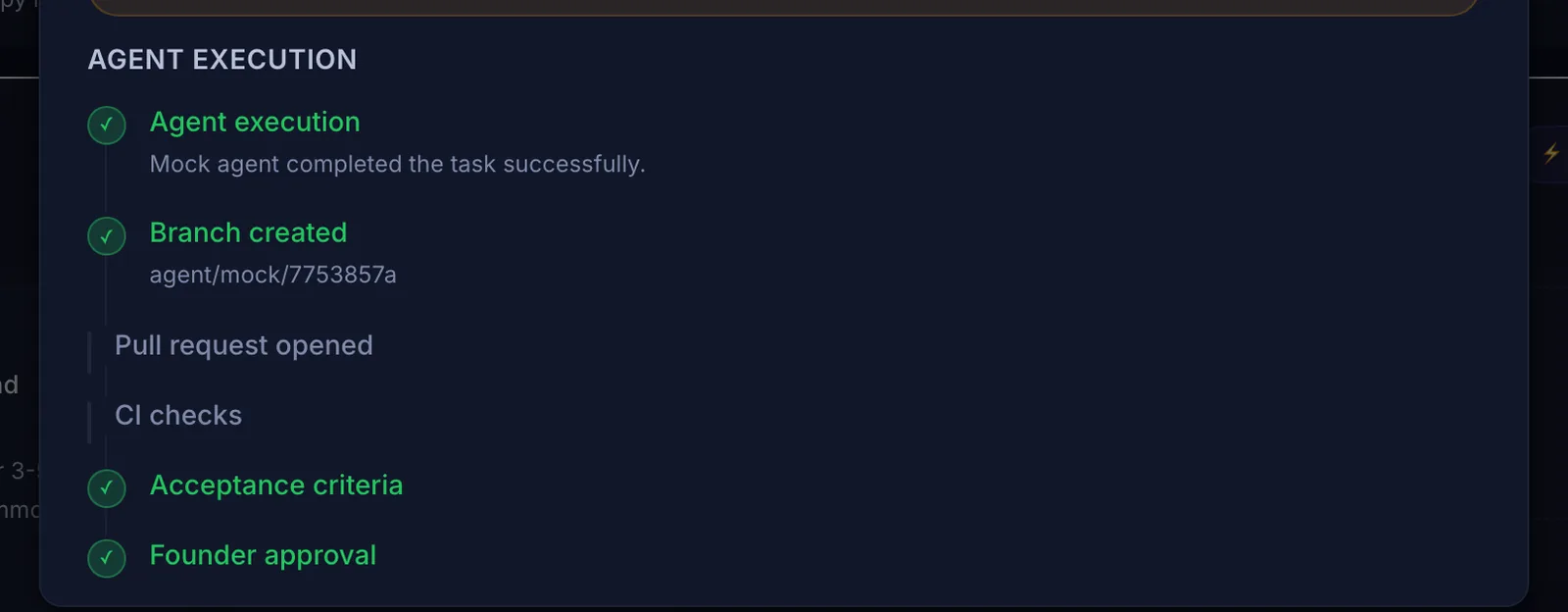 The review trail you can follow without reading code: branch, pull request, checks, criteria, and your approval. This run used the demo agent.
Step 4: Verify the criteria yourself
For every task marked done:
Approve only when every criterion passes. If something fails, send it back with the specific criterion that failed. That's more useful feedback than "it doesn't work."
Step 5: Ask good questions when you can't read the code
When a developer or an agent proposes something technical, these questions work regardless of your background:
For AI agents, you can ask the agent itself to explain a change in plain language before you approve it. Treat the explanation as a claim to verify, not as proof.
Step 6: Control cost and pace
Step 7: Know when to bring in an expert
Some things deserve an experienced engineer's review even if AI built them well:
An hour or two of expert review is cheap compared with fixing a data leak.
Warning signs
How Mogryat supports non-technical management
Mogryat gives you the management layer described above. It generates the product brief, MVP scope, architecture decision, and technical plan from a guided founder interview, then a task board where every task has acceptance criteria, implementation notes, and a ready-to-use prompt for an AI developer.
When you run tasks from Mogryat with your own API key for OpenHands, Claude, or GPT-4o and a linked GitHub repository, each run follows the review trail: its own branch, a pull request, CI status, an evidence-based check of each acceptance criterion, and your approval or rejection. When CI fails, a retry can pass the failure details back to the agent, and the number of attempts is capped. Demo runs are clearly labelled and write no code. Spend limits, notifications, and a per-project activity history help you keep track, and you can invite collaborators to a project as editors or viewers.
It doesn't replace your judgment as the reviewer, and it doesn't make expert security reviews unnecessary for sensitive products.
For the full sequence from idea to launch, see the AI-assisted development workflow. If your team mixes human and AI developers on one project, coordinating multiple AI coding agents covers the parallel-work side.