The most common mistakes non-technical founders make when building with AI are about direction, not code: starting to build before defining the first version, treating the AI's suggestions as decisions, giving huge vague prompts, skipping testing against clear criteria, ignoring security and data basics, and letting costs run without limits. Each one is avoidable with a small habit, and none of them requires learning to program.
Here are ten mistakes we see repeatedly, why they happen, and what to do instead.
1. Building before deciding what version one is
What happens: The founder opens an AI app builder, types the idea, and starts adding features as they come to mind. Two weeks later the app does many things, none of them well, and it's unclear what it's supposed to prove.
Why: AI makes building feel free, so deciding feels optional.
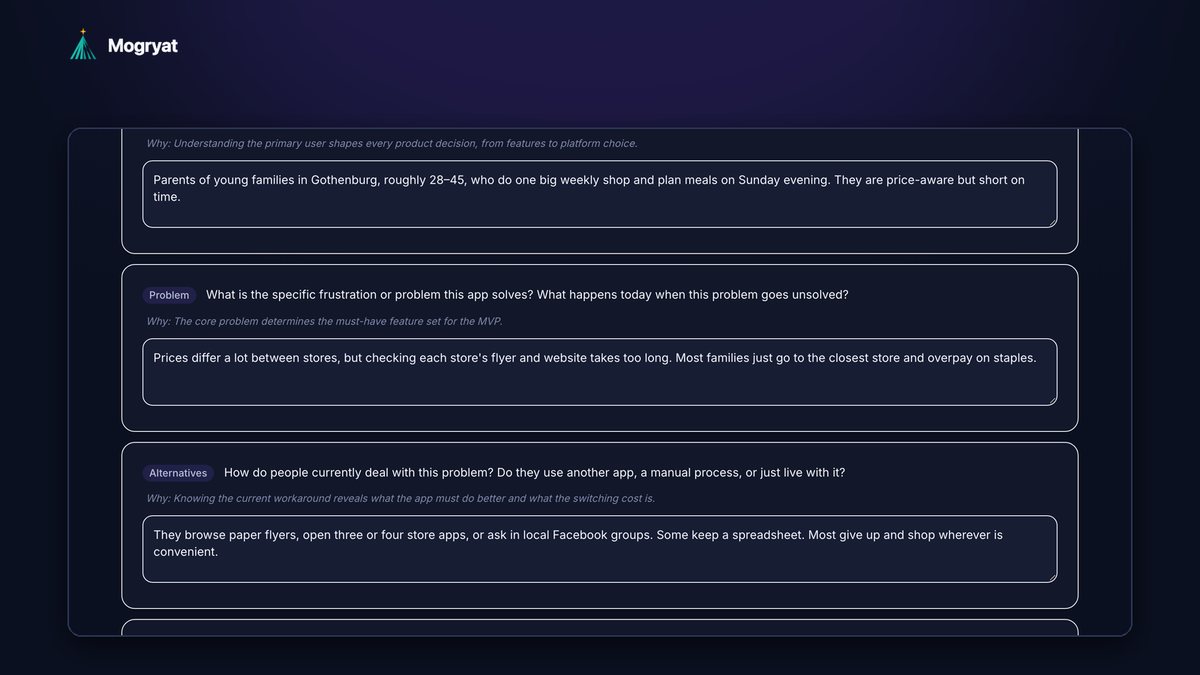
Instead: Write one page before you build: the user, the problem, the one assumption the MVP tests, a must-have list, and a "not in version one" list. The guide to planning an MVP before using Lovable, Bolt, or Cursor has a checklist.
2. Treating AI suggestions as decisions
What happens: The AI suggests a feature, a database, or a pricing model, and the founder accepts it because it sounds reasonable.
Why: AI writes confidently, and confident writing reads like expertise.
Instead: Treat every suggestion as a proposal. Ask for two alternatives and the tradeoffs of each, then decide. Write down why. You'll need that reasoning the next time the question comes up.
3. Writing one giant prompt
What happens: "Build a marketplace with user profiles, messaging, payments, reviews, and an admin dashboard." The result looks impressive and is very hard to fix.
Why: It seems efficient to ask for everything at once.
Instead: One feature per instruction, each with acceptance criteria: short statements of what "done" means. Small steps are easier for the AI to get right and easier for you to check.
4. Testing by "it looks fine"
What happens: The screen looks right, so the feature is marked done. Later it turns out the data wasn't saved, or another user's information was visible.
Why: Without a checklist, appearance is the only test.
Instead: For every feature, walk through each acceptance criterion as a user. Then try the obvious mistakes: empty forms, refreshing mid-step, logging in as a second test user. Keep a simple test list and run it again after big changes.
5. Not knowing what actually ran
What happens: A founder assumes a feature was built because the tool showed a success message, but the step was a preview, a simulation, or failed partway.
Why: Tools show progress in different ways, and not every green check means code was written and saved.
Instead: Know where your code lives (ideally your own GitHub repository) and check that changes actually arrived there. Prefer tools that make simulated or demo runs clearly visible.
 Know what actually ran. A demo run is clearly labelled and writes no code.
6. Ignoring security until launch
What happens: Secrets end up in code, users can see each other's data, or the database is open to anyone who finds it.
Why: Security problems are invisible in a demo. In a Stanford user study, participants using an early AI code assistant wrote less secure code and were more confident it was secure (Perry et al., 2023).
Instead: Before real users arrive, check the basics: no keys or passwords in the code, users can only access their own data, login and password reset work, data is backed up, and you collect only the personal data you need. If you handle payments, health data, or children's data, pay for an expert review.
7. Letting costs run without a limit
What happens: A long fix-and-retry loop burns through credits or API spend before anyone notices.
Why: Usage-based pricing feels small per request and adds up across hundreds of requests.
Instead: Set a monthly limit before you start, check spend weekly, and stop when the same fix fails twice. The problem is usually the instructions, not the attempts. Our guide on reducing token waste covers the habits that keep spend down. To estimate the full cost first, see how much it costs to build an MVP with AI.
 Set a spend limit before you start, not after the first surprising bill.
8. Keeping all the context in chat
What happens: Every new session starts with the founder re-explaining the app. The AI contradicts earlier decisions or rebuilds what already works.
Why: AI tools don't remember previous conversations unless the information is stored somewhere they load.
Instead: Keep a written brief, scope, and decision log, and start each session from them. The guide on stopping AI coding agents from losing project context explains how.
9. Choosing a tool you can't leave
What happens: Six months in, the founder needs features the platform can't support or wants a developer to take over, and the code can't easily move.
Why: The first tool tried becomes the permanent home by default.
Instead: Ask early: can I export the code, connect it to my own GitHub, and host it elsewhere? Keep your plan (brief, scope, tasks) outside any single tool so it can drive a different one later.
10. Skipping real users
What happens: The founder spends weeks perfecting the app before anyone uses it, then learns the core assumption was wrong.
Why: Building with AI is fun and feels like progress. Talking to users is uncomfortable.
Instead: Talk to five potential users before building and put the first working version in front of a small group as soon as the core feature works. Then turn their feedback into specific tasks rather than general prompts like "make it better."
A five-minute self-check
If three or more of these are true, pause and plan before your next prompt:
- You can't say in one sentence what your MVP tests.
- You've rebuilt the same feature more than twice.
- You don't know where your code is stored.
- You've never logged in as a second test user to check data access.
- You don't know what you spent on AI tools last month.
- Perry et al., "Do Users Write More Insecure Code with AI Assistants?" (2023)
How Mogryat helps you avoid these
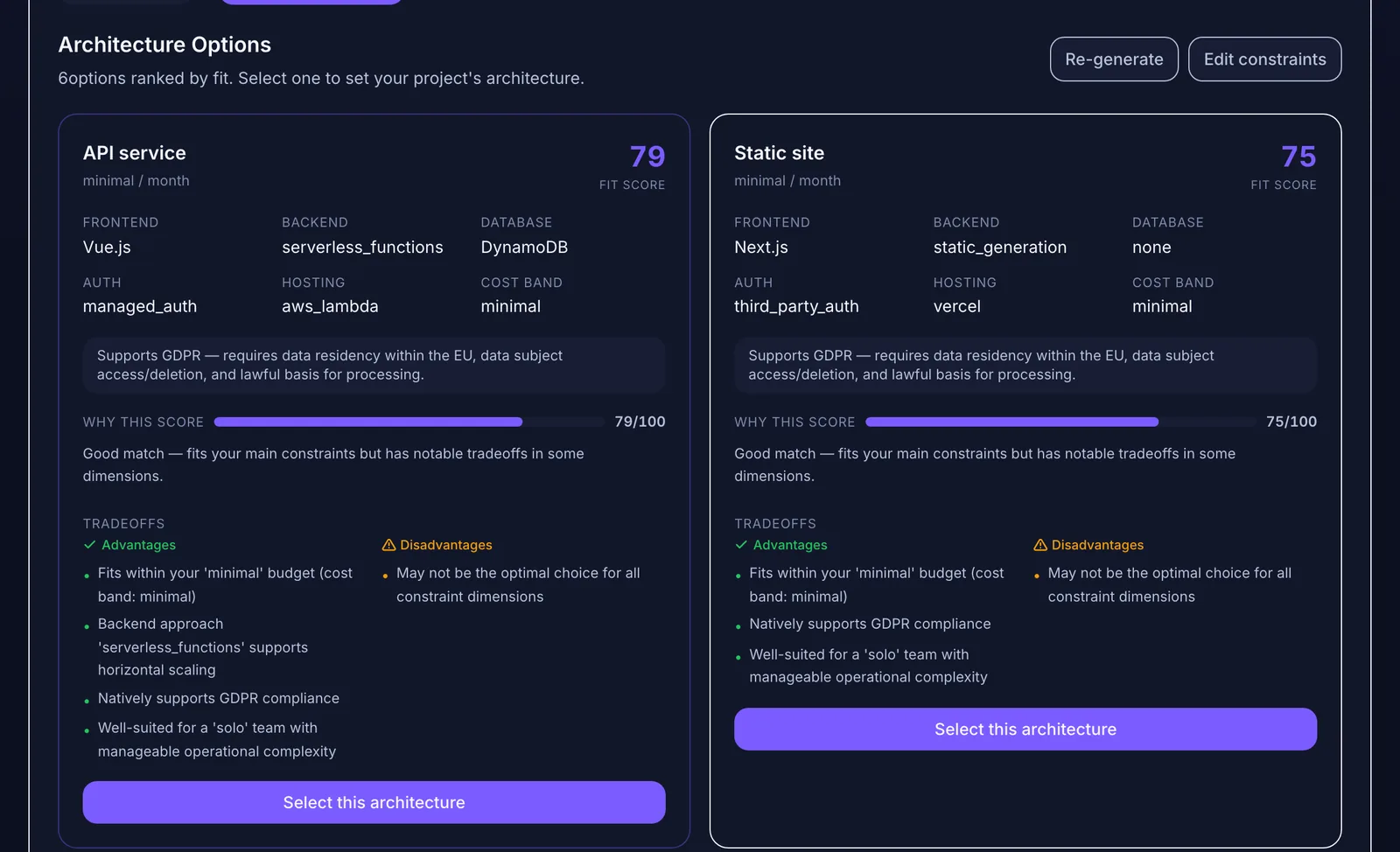
Mogryat is built around the habits above. It walks you from an idea through a founder interview, a product brief, and an MVP scope with an explicit not-in-v0.1 list, to architecture options with written tradeoffs and a task board where every task has acceptance criteria. Context lives in the project, so each AI session starts from your decisions rather than from memory.
When tasks run from Mogryat, demo runs are labelled as simulations, real runs with your own API key happen on their own branch with a pull request when GitHub is connected, and you approve the result. You can set a monthly spend limit with warnings at 80% and 95% and an optional hard block.
It won't talk to your users or make an expert security review unnecessary for sensitive apps. It makes the planning and checking parts much harder to skip.
For the complete picture, start with from app idea to launch.
Start your next build with a plan instead of a prompt →