Yes, you can build a working app with AI without knowing how to code, but "without coding" doesn't mean "without work." AI writes the code. You still define the product, plan the first version, give the AI clear instructions one feature at a time, test every result like a user, and make sure the basics of security and data protection are covered. There are three practical routes: an AI app builder for simple apps, AI coding agents working from a written plan for more complex products, or a freelancer who builds with AI from your plan.
This guide explains how to choose a route and walks through the steps that matter most for non-technical founders.
What "without coding" really means
You won't write code. You will still do the jobs that decide whether the app is any good:
- Decide what to build, and just as importantly what not to build yet
- Write clear instructions: what each feature should do, in plain language
- Check the results by using the app and comparing it to what you asked for
- Protect your users: accounts, personal data, and payments need care
- Keep it running: hosting, updates, and fixing what breaks
- It's a web app with standard features (accounts, forms, lists, dashboards)
- You want to test an idea quickly with real users
- Nobody else needs to maintain the code yet
- You need a mobile app, integrations, or more complex data
- You want to own a standard codebase that any developer could pick up
- You're willing to work in a more structured way
- The app handles payments, health data, or other sensitive information
- You'd rather spend money than time
- You want someone accountable for the code
- Who is the main user, and what problem do they have?
- How do they deal with it today?
- What is the one thing your app does better?
- What must the first version include, and what is explicitly out?
- What would success look like after launch?
- Use the app and walk through every acceptance criterion.
- Try the obvious mistakes a user would make: empty fields, going back, refreshing.
- Only move on when it works. Fixing a problem now is much cheaper than after three more features are built on top of it.
- Passwords and API keys are never stored in the code or shown in the app
- Users can only see and change their own data
- Login, logout, and password reset work properly
- Personal data is limited to what you need, and you have a privacy policy
- The database is backed up
- Errors are logged somewhere you'll see them
- Knowing your users. AI can structure what you know. It can't talk to customers for you.
- Deciding the scope. It will suggest more features. Your job is to say no.
- Judging whether the result is right. Only you know what you meant.
- Responsibility for user data. That stays with you, whatever tool wrote the code.
- Perry et al., "Do Users Write More Insecure Code with AI Assistants?" (2023)
AI is very good at turning clear instructions into working code. It is not good at guessing what you meant. Most failed attempts fail at the instructions, not the code.
Three routes, and how to choose
Route 1: AI app builders
Tools such as Lovable, Bolt.new, and Replit generate a full application from a description and let you refine it in chat. They're the fastest way to see something working.
Good fit when:
Watch for: usage-based pricing that adds up during long fix-and-retry loops, and how easily you can export the code if you outgrow the tool. Here's how much an MVP built with AI really costs.
Route 2: AI coding agents working from a plan
Coding tools such as Cursor, Claude Code, GitHub Copilot, Kiro, or autonomous agents like OpenHands work inside a real codebase. You (or a planning tool) break the product into small tasks with clear criteria, and the agent builds them one at a time, ideally with each change reviewed before it's accepted.
Good fit when:
Watch for: these tools assume more technical comfort. A clear plan and small tasks make the difference. See how to manage AI developers without a technical background.
Route 3: A freelancer who builds with AI
You write the plan, a freelancer builds it, often much faster than a few years ago because they use AI tools too.
Good fit when:
Watch for: the plan matters just as much. A freelancer can only build what you can describe.
Step 1: Define the first version on one page
Whichever route you pick, start here. Answer these as specifically as you can:
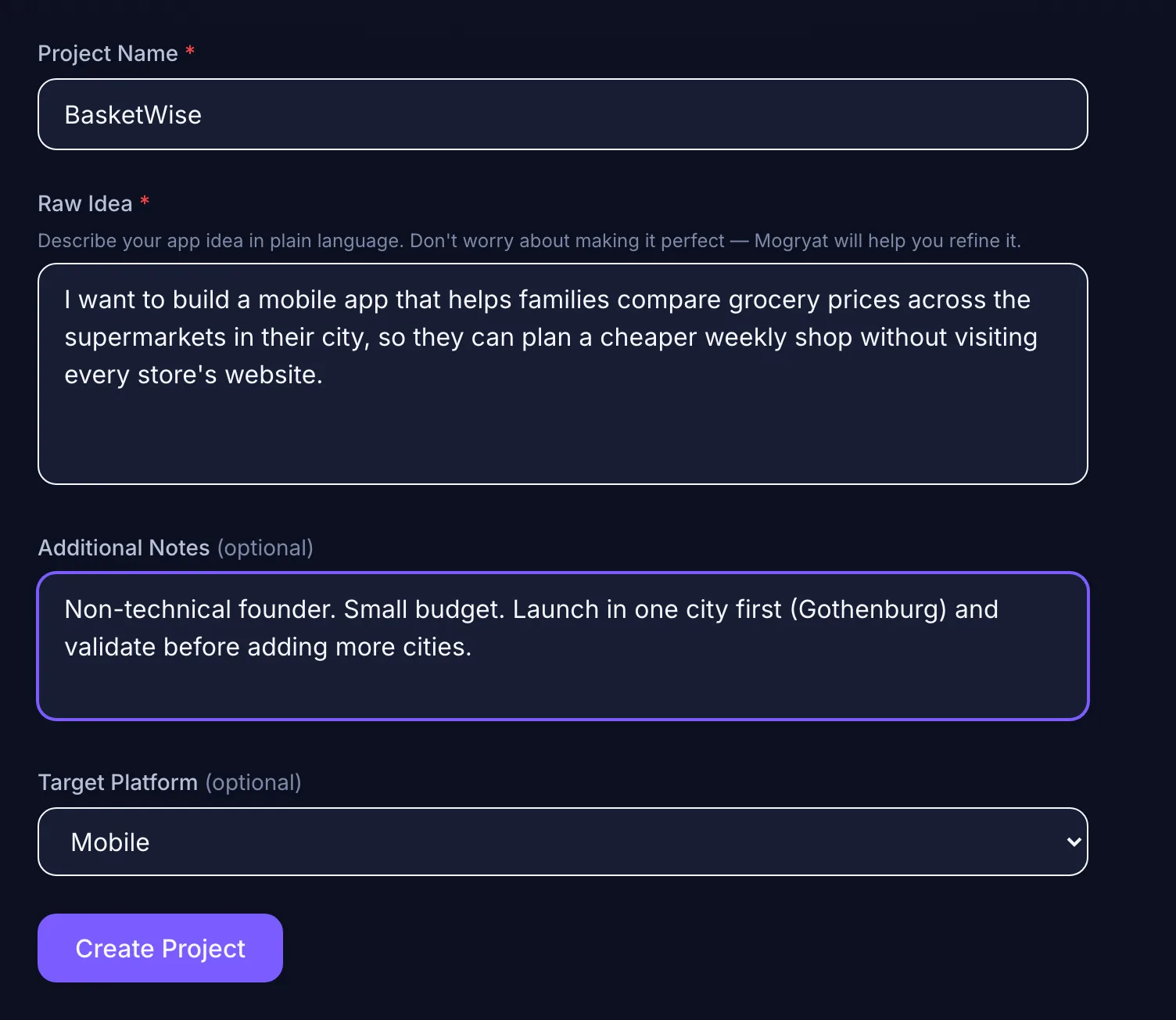 Step 1 starts in plain language: a name, the idea in a few sentences, and any constraints you already know.
If you're not sure how to answer, have an AI assistant interview you. Ask it to question you like a product manager, one question at a time, rather than to write the app. The guide on turning a business idea into an MVP using AI shows this step with a full example.
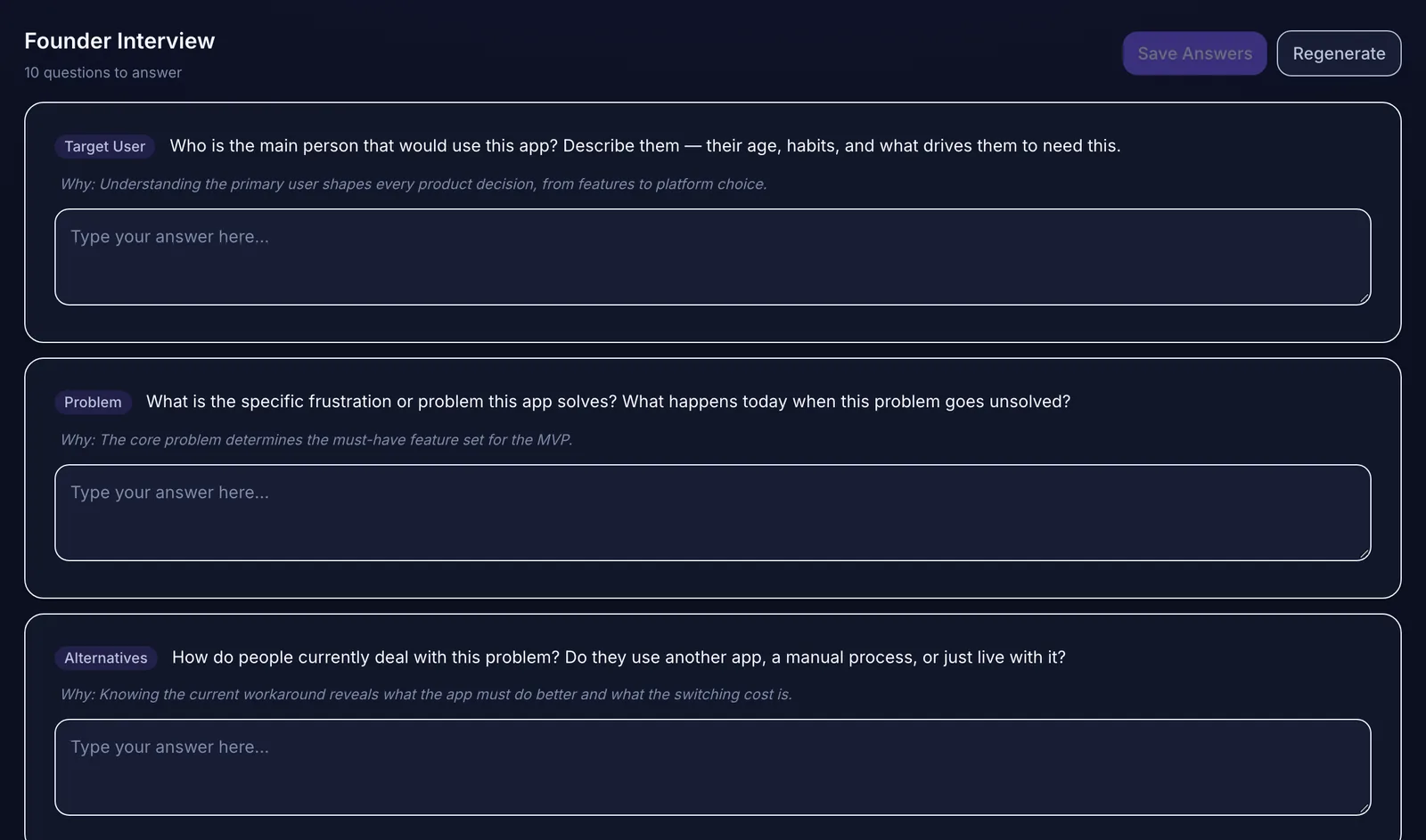 The founder interview asks the questions a product manager would ask before anything gets built.
Step 2: Plan before you build
Turn the one-pager into a short plan: a product brief, a feature list sorted into must-have and later, a decision on the technology (or at least your constraints: budget, expected users, who will maintain it, and data rules such as GDPR), and the first handful of features described with acceptance criteria.
Acceptance criteria are the most useful thing a non-technical founder can write. They are short, checkable statements of what "done" means: "users can select several stores at once," "the selection is remembered next time." They tell the AI exactly what to build and give you a checklist to test against.
For a deeper checklist, see how to plan an MVP before using Lovable, Bolt, or Cursor and how to write a PRD with AI.
Step 3: Build one feature at a time
Give the AI one feature per instruction, with its acceptance criteria and the context it needs: what the app is, what's already built, and what not to change. Big prompts that ask for five features at once produce code that's hard to check and easy to break.
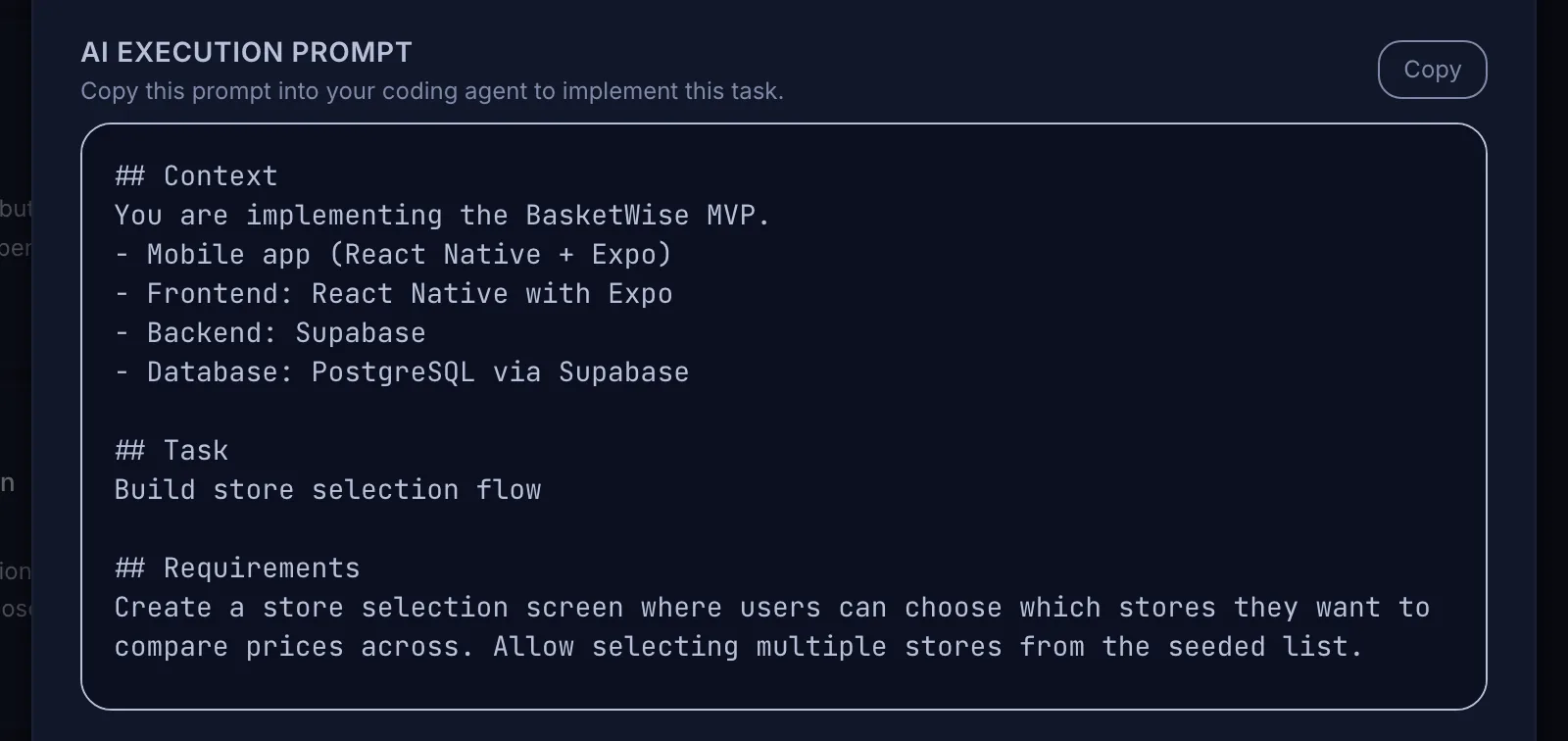 Each task carries a ready-to-paste prompt, so the coding tool gets the project context without you re-explaining it.
After each feature:
Step 4: Take security seriously, even for an MVP
AI-generated code can look correct and still be unsafe. In a Stanford user study with an early AI code assistant, participants who used it wrote significantly less secure code than those who didn't, and were more likely to believe their code was secure (Perry et al., 2023). Tools have improved since, but the lesson about overconfidence still applies. That's a reason for care, not panic.
Before real users arrive, check at least:
If your app handles payments, health information, or children's data, pay a developer for a security review before launch. It's money well spent.
Step 5: Launch small, then iterate
Launch to a small group first: twenty to two hundred real users, depending on the product. Watch the one number that tells you whether the idea works. Collect feedback, and turn the important pieces into new features with their own acceptance criteria rather than pasting every comment into the AI.
The full idea-to-launch workflow covers this loop in detail.
What you can't delegate to AI
The most common mistakes founders make when building with AI are worth reading before you start.
How Mogryat helps non-technical founders
Mogryat handles the planning steps and keeps them organized for the build. You describe the idea in plain language and answer a founder interview. Mogryat then generates a product brief, an MVP scope, architecture options scored against your budget and constraints, a technical plan, and a task board. Every task has acceptance criteria and a ready-to-paste prompt for whichever AI tool you use.
If you want the build to happen from the board, you can connect your own API key for OpenHands, Claude, or GPT-4o. With a GitHub repository linked, each run gets its own branch and pull request, CI status is tracked, and the work only counts as done after you review and approve it. There's also a demo mode that simulates the flow without writing code, so you can see how it works first.
Mogryat won't make security reviews unnecessary, and you'll still need to test what gets built. It does make sure the AI always works from a clear plan instead of a single prompt.
Turn your app idea into a structured MVP plan →
Not ready to sign up? Explore the demo project first.